
De-Risking the Pivot: Your Essential ERP Data Migration Strategy



Share the page:
Migrations rarely fail at the extract or the load. They fail because nobody decided what "correct" meant before the data moved, so the cutover weekend becomes a series of judgement calls made at 3 a.m. by whoever is still awake. Panorama's 2026 ERP Report found that among projects running over schedule, the most common cause was organizational, not technical. This guide gives you a decision record to complete before mapping starts, a five-gate checklist for the migration itself, and the mistakes that show up most often. None of it requires a tool you do not already have.
Introduction
Every migration plan I have reviewed has a section on extraction, a section on transformation rules, and a section on load sequencing. Very few have a section listing the decisions that have to be made before any of that is worth writing.
So the decisions get made anyway, quietly, by a developer who needed to keep moving. Which customer record wins when two systems disagree. Whether a closed order from 2019 comes across. What happens to the address field that finance has been using to store a routing code since the last merger.
Those are business decisions. They get made as technical ones because nobody scheduled them.
Why do ERP data migrations fail?
They fail because the organizational work runs behind the technical work, and the technical work cannot wait for it.
Panorama's 2026 ERP Report, based on 170 organizations surveyed between January 2025 and January 2026 with a median annual revenue of $200.5 million, found that almost a quarter of projects ran over schedule, and among those, the most common reason given was organizational issues rather than technical execution.<sup>[1]</sup> The report is blunt about the mechanism: technical delivery proceeds while approvals, sign-offs, and cross-functional alignment trail behind it.
That pattern has a specific shape in a migration. The mapping spreadsheet has 400 rows. Thirty of them need a business decision. The business owner is in workshops for another three weeks. The developer needs to keep going, so thirty defaults get chosen and never revisited.
Nobody notices until reconciliation, when the numbers do not tie and no one can explain why.
Key Takeaway: A migration schedule that does not have decision deadlines on it is a schedule with thirty invisible dependencies.
Planning an ERP system migration? Book a free consultation.
What decisions must be made before any data moves?
Six, and each one needs a named person and a date. Complete this before the first mapping row is written.
The third row is the one most often skipped and the most expensive to skip. "Clean the data" is not a requirement. "Fewer than 0.5% of active customer records missing a valid postal code, measured on the Friday extract" is a requirement, and it has a finish line.
Key Takeaway: Write the decision record before the mapping spreadsheet. Six decisions, six names, six dates.
Your ERP migration checklist: five gates
Structure the ERP data migration steps as gates rather than a task list. A task list can be reported as 80% complete forever. A gate is either passed or not.
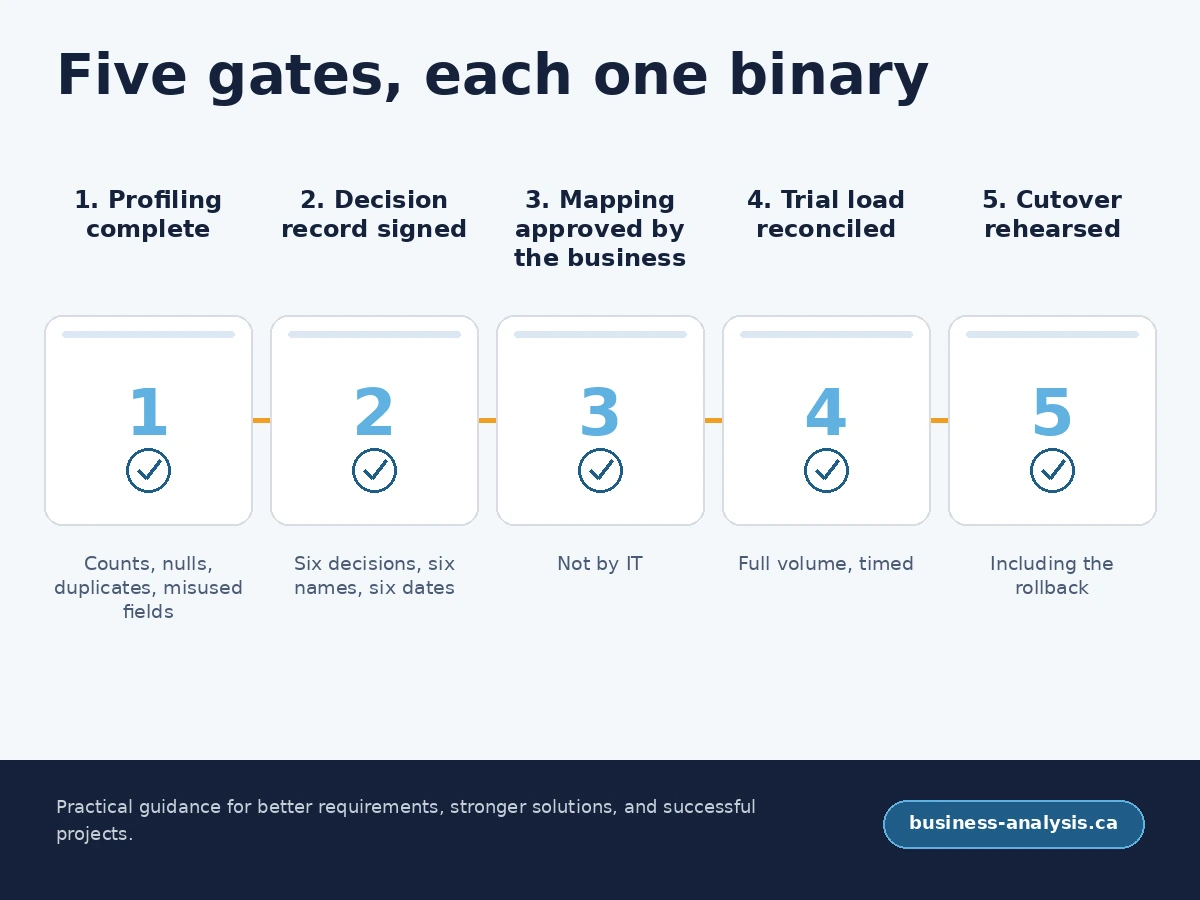
Gate 1: Profiling complete. You have counted the records, measured the null rates, found the duplicates, and identified fields being used for something other than their name. No mapping until this is signed.
Gate 2: Decision record signed. All six decisions above have an owner, an answer, and a date. Unanswered items are on the risk log with an escalation path.
Gate 3: Mapping approved by the business, not by IT. Every transformation rule has a business owner who has read it in plain language. If a rule cannot be explained without referring to a table name, rewrite it.
Gate 4: Trial load reconciled. A full-volume trial into a copy of the target, reconciled against the agreed rules. Record how long it took, because that number is your cutover window.
Gate 5: Cutover rehearsed end to end. Including the rollback. A rollback that has never been executed is a paragraph, not a plan.
Two rehearsals is the number I argue for. The first one finds the problems. The second one proves you fixed them.
Key Takeaway: Gates are binary and dated. Percentage-complete reporting on a migration hides exactly the risk you need to see.
What are the most common ERP migration mistakes?
The same handful, across sectors and platforms.
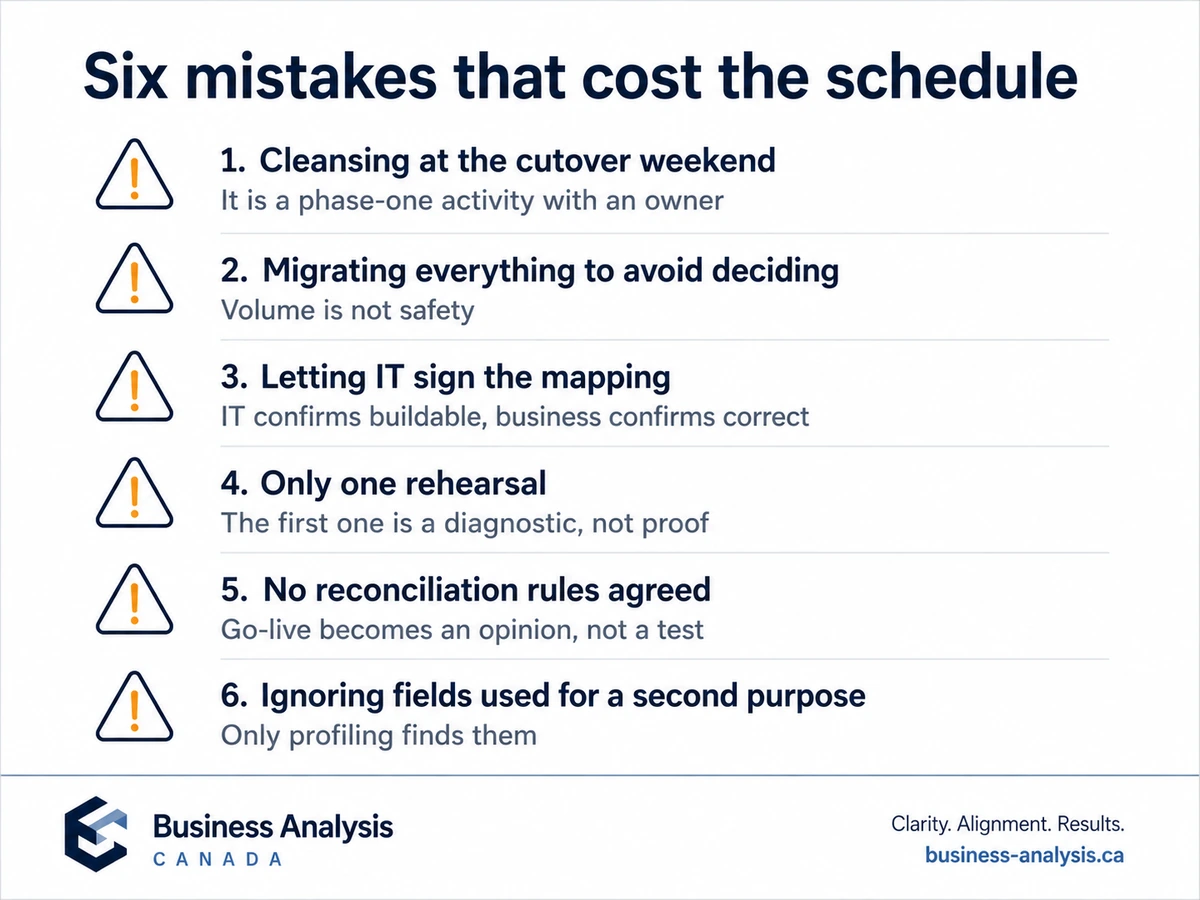
- Treating cleansing as a cutover weekend task. It is a phase-one activity with its own budget and its own owner. Discovered late, it becomes the reason you slip.
- Migrating everything because deciding is hard. Volume is not safety. Every extra record is more to reconcile and more to defend at audit.
- Letting IT sign the mapping. IT can confirm a rule is implementable. Only the business can confirm it is right.
- One rehearsal. The first rehearsal is a diagnostic exercise. Treating it as proof means you go live on an untested run.
- No reconciliation rules agreed in advance. Without them, the go-live decision is a judgement call made by tired people.
- Ignoring the fields being used for a second purpose. Every long-lived system has them. Profiling finds them. Nothing else does.
I would add one that is harder to see. Teams often assume the new platform will enforce quality going forward, so historical problems stop mattering. The new system enforces its own rules on new records. It inherits the old ones exactly as they arrive.
Key Takeaway: Most of these are scheduling failures wearing technical costumes. Move the work earlier and most of them disappear.
Who owns data migration on an ERP system migration?
The business owns the data. The project owns the movement. The gap between those two sentences is where migrations go wrong, and it is a real role, not a coordination problem.
Somebody has to sit between the finance manager who knows what the field means and the developer who knows what the field contains, and hold the decision record until it is complete. On most programmes that is a business analyst with data experience. Whoever it is, the role needs authority to stop a gate, or the gates are decorative.
Name the person. Put the six decisions on their objectives. If you cannot name them, the answer is that nobody owns it.
Key Takeaway: A gate nobody has the authority to hold closed is a milestone, and milestones slip quietly.
Frequently Asked Questions
How long does ERP data migration take?Plan for it to run across most of the implementation rather than as a phase near the end. Profiling and the decision record belong at the start, cleansing runs in parallel with configuration, and trial loads begin as soon as the target structure is stable. The cutover window itself should be measured during your trial load rather than estimated, because that measurement is the only reliable number you will have.
Should we migrate all historical data?Usually not. Decide based on legal retention obligations, audit requirements, and genuine operational need, in that order. Anything outside those three can stay in an archive that is readable when required. Migrating history you do not need adds reconciliation effort, extends the cutover window, and carries old quality problems into a system you are paying to be clean.
What is the difference between data migration and data integration?Migration moves data once, from a system you are retiring into one you are adopting. Integration keeps two live systems in agreement on an ongoing basis. They need different specifications and different acceptance criteria. Migration is judged on reconciliation at a point in time. Integration is judged on behaviour over time, including how it handles failure.
Do we need a business analyst for an ERP data migration?If nobody currently holds the six decisions in the record above, yes. The work is translating between people who know what the data means and people who know what it contains, then holding the gates. It is not a tooling role, and the cost of leaving it unfilled shows up as defaults chosen by developers under deadline pressure.
Conclusion
The tooling for moving data has been solved for years. What has not been solved is the part where a person with authority decides what the data should look like when it lands.
Write the decision record first. Turn the plan into gates. Rehearse the rollback. If you would like a second pair of eyes on a migration plan before cutover, book a free consultation.
Sources