BeerSoft: Requirements, AI Guardrails and Application Delivery for Breweries and Taprooms
How Business Analysis Canada prepared breweries and taprooms for application, ERP and AI development, from POS integration and payments to AI guardrails.
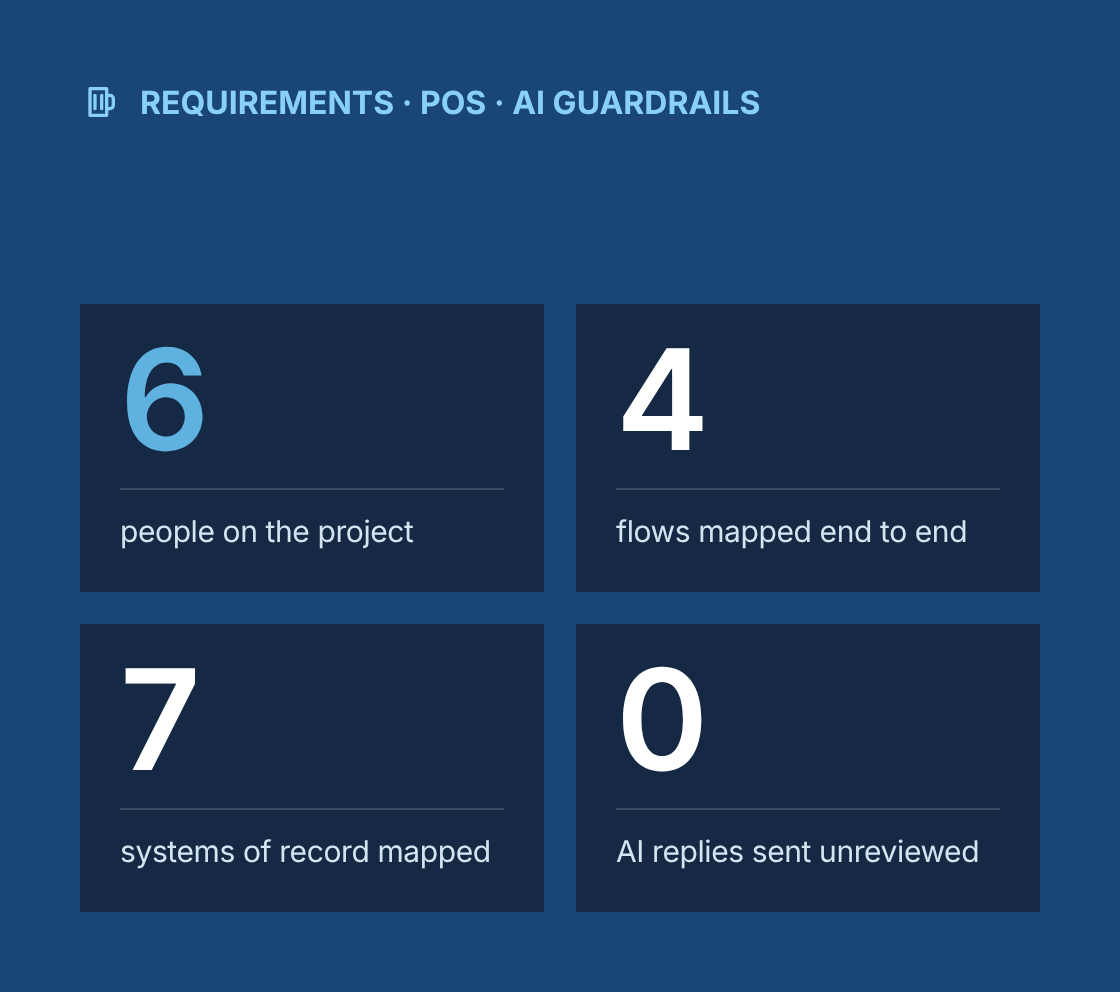
- 6 people on the project
- 4 flows mapped end to end, from an order to a guest question
- 7 existing systems mapped as systems of record
- 0 AI-drafted replies sent without staff review
Project at a glance
- Client
BeerSoft, which works with breweries, brewpubs, taprooms and beverage brands in Canada and the United States, from regional operators to independent rooms - Engagement
Requirements and software work, not marketing campaigns. We prepared BeerSoft's clients for software, application, ERP and AI development, then supported the build through implementation. - Team
Staff augmentation with six business analysts, working inside BeerSoft's project teams under BeerSoft's direction - Our role
Elicitation, current-state analysis, business requirements, process models and operational acceptance criteria, followed by application, ERP and AI requirements, development support and implementation support - Delivery
Remote, with workshops booked before opening hours or between shifts so taproom staff could join without leaving the floor short - Confidentiality
Brand names, scopes and commercial terms stay under NDA.
The challenge
What problem was the client trying to solve?
What made these projects hard?
A brewery is several businesses under one roof: a production facility, a hospitality venue, a retailer and often a wholesaler. Each part runs on different tools, and the people in the room hold the gaps together.
- Disconnected systems
Taproom sales ran through point of sale, production and inventory lived in brewing software, and wholesale orders arrived by text, email and phone. Nothing connected them. - Paper loyalty cards
Loyalty programs, such as mug clubs and beer club memberships, were tracked on paper cards, spreadsheets or a separate app that did not talk to the till. - Missing kegs
Kegs went out to wholesale accounts and came back late, or not at all, because tracking depended on one person's spreadsheet. - Repeat questions
Guests asked the same questions every day about hours, what was on tap, food, events, allergens and private bookings, and staff answered them between pours. - Cross-border rules
Rules changed across borders. Legal drinking age, alcohol delivery, promotion rules, taxes and serving units vary by province and state. - High staff turnover
Staff turnover in hospitality is high, so anything that lived in one person's head was lost when that person left.
Analyst team
Who was on the analyst team?
BeerSoft worked with a dedicated team of six business analysts. Many projects were timed to go live before the summer patio season.
1 person
Lead business analyst
Focus
BeerSoft's point of contact for staffing and quality; runs discovery with larger operators and keeps the shared templates
2 people
Hospitality application business analysts
Focus
Point of sale, online ordering, loyalty, guest journeys and taproom workflows
2 people
ERP and production business analysts
Focus
Brewing production, inventory, costing, wholesale order-to-cash and excise reporting
1 person
Integration and AI business analyst
Focus
System-of-record decisions, data flows between systems, and AI use cases and guardrails
- The team worked in BeerSoft's tools and under BeerSoft's direction, as part of its project teams.
- Our lead BA agreed assignments with BeerSoft each week and moved analysts between projects as go-live dates approached.
- Work was checked by a second analyst before the lead BA passed it to BeerSoft.
- Each analyst kept short handover notes, so a teammate could step in during holidays or illness.
Four flows
Which flows did we map first?
The engagements started with analysis. We elicited requirements from brewery leadership, taproom leads and the staff who would use the system, and documented four flows end to end. Each flow showed where a person, not a system, still carried the process.
Flow
How it moved before
Where a person carried it
An order
Taproom orders went through point of sale, online and pickup orders came through a separate store, and packaged stock was updated in the production tool by hand
The taproom lead reconciled sold-out items and online stock at the end of each day
A loyalty action
Members earned stamps or points on paper cards or in a standalone app, and renewals were chased manually
One manager knew which members were due to renew and which rewards had been used
A wholesale account
New bars and stores were set up by the sales rep, orders came by text, and kegs and deposits were tracked in a spreadsheet
The sales rep held the account history, pricing and keg balances, often on their phone
A guest question
Questions came by phone, social media messages, email and in person, and answers depended on who picked up
Whoever was on shift answered from memory, and private event requests waited for management
Our business analysis approach
How did we approach the engagement?
How did we get from analysis to a buildable baseline?
- Elicitation
We held interviews and workshops with brewery leadership, general managers, taproom leads, servers and bartenders, head brewers, wholesale and sales staff, and bookkeepers. For regional operators we added head office finance and operations. - Observation
We watched opening, a busy service and close at selected rooms, so the process models showed real conditions, including rushes, sold-out taps and shift handovers. - Current-state models
We produced BPMN models for the four flows, marking each manual handoff, re-keyed record and person-dependent step. - Business requirements
For each engagement we documented objectives, scope and exclusions, business rules, assumptions, constraints and success criteria, and had them signed off before any build. - Future-state process models
These showed which steps the application would take over and which stayed with staff. - Operational acceptance criteria
Criteria described what the room needed to achieve, not which features a system should have. That way, the application would be judged against the operation.
For example
Keg returns
- Given a wholesale account has kegs past the agreed return date
- When the account's next order is entered
- Then the order shows the outstanding kegs and deposit balance
- And the sales rep is prompted to arrange collection before delivery
Sold-out item
- Given a beer has sold out in the taproom
- When the tap is marked as empty at the point of sale
- Then the beer is removed from the online menu and pickup ordering
- And the tap list shown to guests updates without staff editing it separately
Shift handover
- Given a shift has ended
- When the closing lead finishes close-out
- Then the next lead can see sales, sold-out items, kicked kegs, issues and notes
- And nothing depends on a message in someone's personal phone
Application requirements
What did the application have to do before a screen was drawn?
Preparation for application development defined the software's job in detail, so a development team could estimate it and so design started from agreed requirements.
User roles
Multi-site operator
- Executive or senior leader with consolidated reporting across locations
- Operations and finance at head office
- Location general managers and taproom leads
- Wholesale and sales team, shared across locations
- Production and inventory staff at the brewery
- Bartenders and servers, scoped to their location
Single taproom
- Person running the business, often covering management and bookkeeping
- General manager or taproom lead
- Bartenders and servers
- A part-time sales contact for wholesale, where there is one
- Head brewer, who also manages packaged stock
Journeys
Guest
Discover, check what is on tap, order online or in person, join or use loyalty, book an event, ask a question, and give feedback
Staff
Open, take orders, manage the tap list, record sold-out items, redeem loyalty rewards, handle a guest question, close out and hand over the shift
Wholesale
Set up an account, check its licence, place an order, schedule delivery, track kegs and deposits, and invoice
Data the application needed, and data it must not collect
Needed
- Guest name and contact details, with marketing consent recorded separately
- A flag confirming the guest is of legal drinking age for that location
- Loyalty membership, points and reward history
- Wholesale account details, licence number, pricing tier, keg balance and deposits
- Order history linked to the point of sale
Not collected
- Images or numbers from ID documents. Age checks record only that age was confirmed
- Full payment card details, which stay with the payment provider
- Precise location tracking
- Health information beyond the allergen preferences a guest chooses to share
- Staff personal details beyond what scheduling and access need
Integrations and systems of record
System already in place
What it remains the record for
What the application reads or writes
Point of sale
Transactions, tabs, payments and tips
Reads orders and item status, and writes loyalty earn and redeem events
Brewing production and inventory software
Batches, packaged stock and keg inventory
Reads stock and keg data for online ordering and wholesale
Online store and pickup ordering
Online orders
Reads and writes availability, linked to taproom sold-out status
Accounting
Invoices, payments received and tax
Receives wholesale invoices and keg deposit entries
Email and SMS marketing platform
Campaign sends
Receives consent status, so only consenting guests are contacted
Tap list and menu displays
What guests see on screens and online menus
Receives tap changes from the point of sale
Event and booking tools
Event and private booking calendar
Receives routed event enquiries
Non-functional requirements
Access
Role-based access by location, PIN sign-in for shared taproom tablets, and fast set-up and removal of staff accounts as people join and leave
Payments
Card data handled only by the payment provider's hosted fields or terminals, keeping the application out of PCI DSS card-data scope
Privacy
Consent and retention rules covering PIPEDA and provincial laws in Canada, applicable state privacy laws in the United States, and CASL consent for commercial email and text messages
Performance
Stable during Friday night service and limited-release drops, when online ordering traffic spikes
Accessibility
WCAG 2.1 AA as the target for guest-facing screens, supporting AODA in Ontario and accessibility expectations in the United States
Scoped backlog
Epics and user stories with acceptance criteria, prioritized with MoSCoW and split into releases the development team could estimate
ERP requirements
What did ERP preparation involve for breweries?
As breweries grow, spreadsheets and separate tools stop being enough for production, inventory and excise reporting. Several projects prepared the ground for an ERP, specified with the same method as the applications so the two fitted together.
Brew-to-package process
Recipes, brew logs, fermentation and conditioning, packaging runs and finished goods, with yields and losses recorded at each step
Inventory and traceability
Raw materials, packaging, finished goods and kegs, with lot tracking from ingredient to wholesale account so a recall can be traced
Batch costing
How ingredient, packaging and labour costs roll up into the cost of each batch and each packaged product
Wholesale order-to-cash
Account set-up and licence checks, pricing tiers, orders, delivery, keg deposits, invoicing and payment
Excise and regulatory reporting
The production and removal data needed for TTB reporting in the United States and excise duty returns in Canada, confirmed with each client's accountant
Procurement
Purchase orders for malt, hops, yeast and packaging, goods receipt and supplier invoices
Integrations
Sales from the point of sale and online store flowing into ERP inventory and accounting, with a system of record agreed for each data element
Data migration readiness
Recipes, item master, inventory balances, open orders and customer accounts, with quality checks before migration
Selection support
A requirements catalogue, demo scripts that follow a batch from brew day to wholesale invoice and excise report, and a scoring model comparing brewing-specific systems with general ERPs
Independent breweries often did not need a full ERP. For them, we specified brewing production software and accounting that connected cleanly to the point of sale.
Rules by location
How did rules differ across provinces and states?
Cross-border operators needed rules held as configuration, not hard-coded, because the same feature behaves differently by location.
Legal drinking age
The age gate and confirmation rules follow each location's legal age: 18 or 19 depending on the province in Canada, and 21 in the United States.
Alcohol delivery and pickup
Ordering options are switched on only where the location's licence and local rules allow them.
Promotions and loyalty
Some jurisdictions limit alcohol discounts and rewards. Reward types were configurable by location, and each operator confirmed its local rules.
Tax and currency
Prices, taxes and currency are set per location, including GST, HST or PST in Canada and state and local sales taxes in the United States.
Serving sizes and units
Serving sizes and units, millilitres or US fluid ounces, are configured per location.
AI guardrails
What guardrails did the AI work run inside?
AI work stayed inside the same baseline. Each use case was defined by what it reads, what it produces, who checks it, and what it must never do. The goal was an assistant that helps staff under clear rules, not an open-ended chatbot talking to guests unsupervised.
Use case
What the AI reads
What it produces
Human checkpoint
Hard limits
Answering routine guest questions
The live tap list, hours, events and approved menu and allergen content
Answers to common questions on the website or in messages
Managers approve the content the AI draws on, and staff review flagged conversations
No age confirmation, no serving decisions, no health claims, no promises on limited releases unless stock data confirms them
Drafting a first response
The incoming message and approved content
A draft reply to an event, wholesale or general enquiry
Staff edit and send every reply. Nothing is sent automatically
No prices, discounts or bookings confirmed without staff approval
Routing an enquiry
Enquiry type, location and urgency
A suggested team: events, wholesale, management or the taproom
Staff can reassign any enquiry
Complaints, safety issues and legal or licensing questions always go to a manager
Summarizing a shift
Point of sale totals, sold-out items, tap changes and staff notes
A shift summary for the next lead and management
The closing lead reviews and corrects it before it is shared
No guest personal data in summaries, and incident notes are visible only to managers
Before any assistant or agent was put in front of staff or guests, we documented:
Data readiness
We checked whether tap lists, menus, allergen information and hours were current and came from one source, and whether point of sale item names matched the production tool.
What the model can see
Approved content, live tap and stock data, and the message in front of it. It cannot see payment data, ID checks, loyalty member details or staff records.
Allergens
The AI can share approved allergen information, but questions about severe allergies are always referred to staff.
Responsible service
The AI must never encourage overconsumption, comment on whether a guest has had too much, or make any decision about serving alcohol.
Escalation
Messages about safety, intoxication, injuries, complaints, allergic reactions or licensing go straight to a manager.
Transparency
Guests are told when they are messaging an AI assistant.
Testing and monitoring
Each use case was tested with realistic guest and staff questions, including ones it must decline. After launch, logs of AI outputs and staff edits are reviewed so content gaps get fixed.
Development
How did the build follow the requirements?
Development support
We supported the build of the applications each project needed, such as online ordering linked to taproom stock, loyalty and membership management, wholesale ordering with keg tracking, shift handover and AI-assisted guest messaging.
Traceability
Each requirement was linked to user stories, test cases and releases, so operators could see that every agreed outcome had been delivered and tested.
Testing in the room
Acceptance testing took place on the devices and point of sale set-up each location used, including a simulated busy service.
Implementation
We supported the move from paper cards and spreadsheets into the new system, keg balance reconciliation with wholesale accounts, cutover planning and short training for each role.
Change control
When scope moved during implementation, each change was assessed against the baseline and decided by the operator through BeerSoft.
Regional and independent
How did regional operators and independent rooms differ?
Larger operators needed a shared model with local variation. Independent breweries and taprooms needed a smaller scope that still fit how their room worked. Each got a separate specification. A small taproom was never handed a cut-down version of a regional operator's model.
Area
Regional operator
Independent brewery or taproom
Product catalogue
One shared catalogue from the production brewery, with tap lists managed per location
One catalogue that the head brewer keeps in step with what is on tap
Pricing and promotions
Head office price lists, with approved local variations
Prices set directly by the business, with simple promotion rules
Loyalty
One program across locations, with local reward options where rules require them
A mug club or simple points program for one room
Wholesale
A shared sales team, distributor relationships, and keg tracking across locations
Direct accounts handled by management or one sales contact
Reporting
Comparable sales, wholesale and loyalty measures across locations
A short daily and weekly view the business actually uses
Integrations
Point of sale, production software, accounting, marketing platform and distributor data
Point of sale, accounting and online ordering
ERP
One ERP covering production, inventory, wholesale and excise reporting across sites
Brewing production software plus accounting, connected to the point of sale
AI scope
Shared guardrails, with approved content for each location
Routine guest questions and shift summaries only
Governance
How did we work under BeerSoft's relationship and NDA?
- Communication with breweries and taprooms went through BeerSoft or took place with BeerSoft present.
- Brand names, scopes and commercial terms stay under NDA, including in this case study.
- Analysts signed NDAs covering BeerSoft and its clients, and followed each client's security and privacy requirements.
- Guest, member and wholesale data seen during analysis was handled under each client's policies and never stored on Business Analysis Canada systems.
Which BA techniques and tools did we use?
Techniques
- Stakeholder interviews and workshops
- Service observation
- BPMN process modelling
- Key-person dependency analysis
- Business requirements
- Journey mapping
- Role and permission modelling
- Data minimization analysis
- System-of-record analysis
- Integration requirements
- Configurable business rules by jurisdiction
- Non-functional requirements
- AI use case definition
- Human-in-the-loop design
- Given/When/Then acceptance criteria
- MoSCoW prioritization
- Requirements traceability
- UAT planning
- Change control
- Lot traceability analysis
- Fit-gap preparation
- ERP demo scripts
- Vendor scoring
- Data migration readiness assessment
- Peer review
Tools
- Jira
- Confluence
- Miro
- Lucidchart
- Figma
- Microsoft Excel
Results
What were the results?
- 6 people on the project
- 4 flows mapped end to end, from an order to a guest question
- 7 existing systems mapped as systems of record
- 0 AI-drafted replies sent without staff review
Orders, stock, loyalty and wholesale working from connected systems instead of end-of-day reconciliation.
- Keg balances and wholesale history held in the system, not in a sales rep's phone.
- Shift handovers that survive staff turnover.
- Payments, age rules and privacy built into the requirements before development.
- AI introduced with clear inputs, human checkpoints and hard limits, agreed before staff or guests used it.
- Estimable backlogs and acceptance criteria based on how each room operates.
- ERP requirements covering brew-to-package, traceability, batch costing, wholesale and excise reporting, ready for selection or build.
- A dedicated team of six business analysts across BeerSoft's projects, including the busy months before patio season.
- A right-sized scope for independent rooms and a shared model with local variation for regional operators.
“
Lessons learned
What can other beverage businesses learn from this work?
- Map the order, the loyalty action, the wholesale account and the guest question before choosing software. Most gaps sit between those four flows.
- Decide which system is the record for each piece of data. Point of sale, production software and the new application should never compete over stock or transactions.
- Record that age was confirmed, not the ID itself. The safest personal data is data you never store.
- Keep jurisdiction rules as configuration. The same loyalty reward can be fine in one location and restricted in the next.
- Give AI a short list of jobs and a longer list of things it must never do, and write both down before anyone sees a demo.
- Specify the ERP from the brew log to the excise return. If traceability and excise data are not designed in, they become manual work every month.
Are sales, stock and kegs still reconciled by hand?
Talk to a senior business analyst about requirements, integrations and AI guardrails for your brewery or taproom, before any screen is designed.
BeerSoft: Requirements, AI Guardrails and Application Delivery for Breweries and Taprooms