eWorksafe: Website and Mobile App for Workplace Safety Management
How our business analysts scoped a new website and mobile app for a workplace safety provider with a BRD, FDD, traceability matrix and a prioritized MVP.
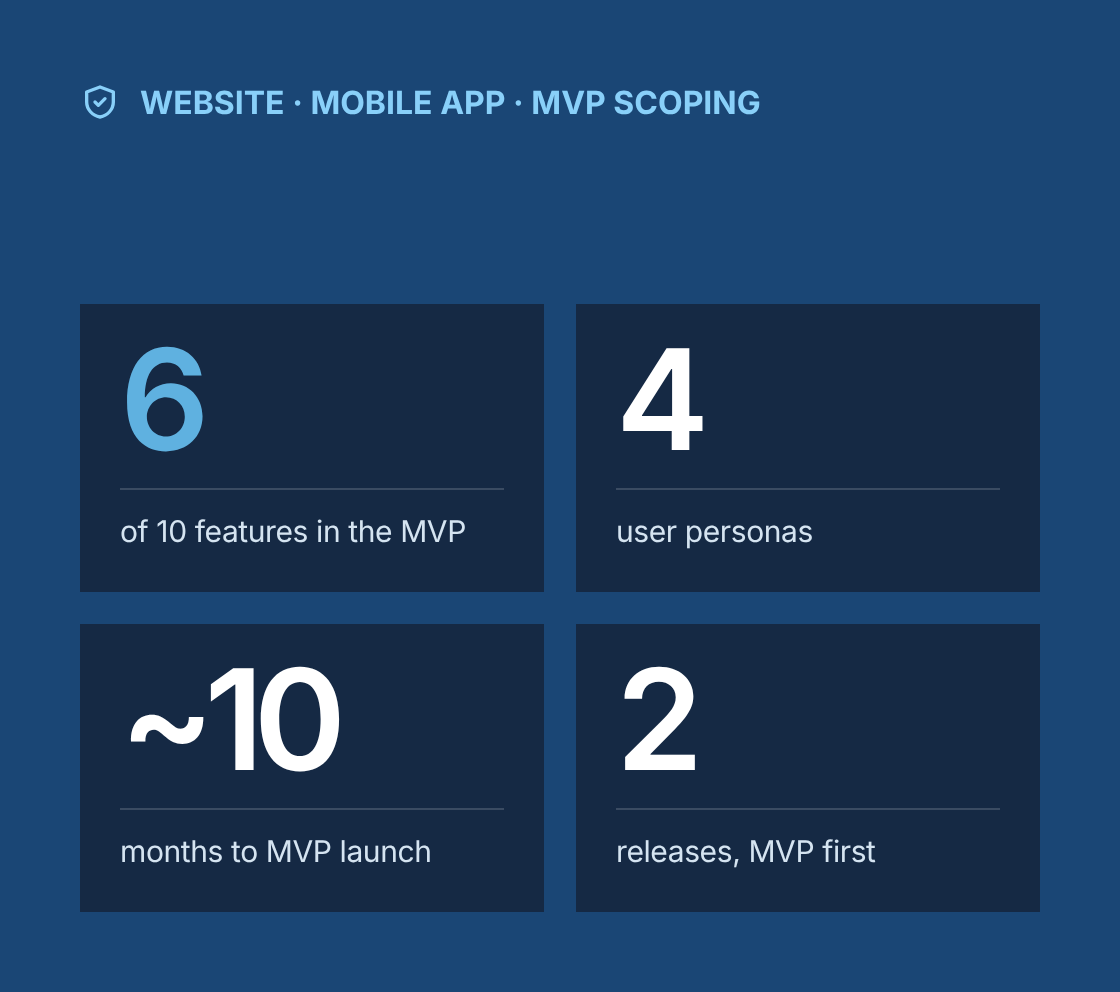
- 6 of 10 candidate features chosen for the MVP
- 4 personas, from frontline workers to managers
- ~10 months from discovery to MVP launch
- 2 releases: the MVP first, then a second release
Project at a glance
- Client
eWorksafe, a workplace safety solutions company helping employers manage incidents, risks, inspections and safety training - Solution
A redesigned website and a new mobile app connected to one platform, with interactive dashboards, live data updates and reporting - Engagement
Business analysis, requirements engineering and product scoping, delivered remotely from Canada - Duration
About 10 months, from discovery to MVP launch, followed by a second release - Our role
Lead business analyst, working with eWorksafe's founders and product owner, customer success staff, safety consultants, a UX designer, web and mobile developers, and QA - Scope
Stakeholder and user research, user journey maps, process diagrams, prototypes, BRD, FDD, requirements traceability matrix, MVP feature prioritization, and test support
The challenge
What problem was the client trying to solve?
eWorksafe's customers needed to manage safety work where it happens, on the shop floor and on site, but the existing platform was built for the office.
- A dated website
The old website was dated and hard to navigate, and it did not explain the product well to prospective customers. - Incidents reported on paper
Safety incidents, near misses and hazards were often reported on paper or by phone, then entered later by a safety coordinator. - Inspections scanned in later
Inspections and checklists were completed on paper and scanned, so findings were slow to act on. - No live view for managers
Managers had no live view of open incidents, overdue corrective actions or training status across sites. - Reports compiled by hand
Reports for management and authorities were compiled by hand from several sources. - A platform not built to scale
The platform was not built to scale as eWorksafe added customers and users, and its security needed strengthening.
Our business analysis approach
How did we approach the engagement?
We defined the product around the people who report and act on safety issues, then scoped a focused MVP that could grow safely.
- Stakeholder and user research
We interviewed eWorksafe's founders, customer success staff and safety consultants, and spoke with customer users: workers, supervisors, safety coordinators and site managers. We reviewed support tickets and existing customer reports to find recurring pain points. - Personas and user journey maps
We defined personas for frontline workers, supervisors, safety coordinators and managers. We mapped journeys for reporting an incident, completing an inspection, closing a corrective action and preparing a monthly safety report, marking pain points and opportunities at each step. - Process diagrams
We modelled the core safety workflows in BPMN: incident and near-miss reporting, investigation, risk assessment, corrective and preventive actions, inspections, and training records. Each model showed roles, handoffs, approvals and notifications. - Prototypes
We worked with the UX designer to create clickable prototypes of the mobile reporting flow, the inspection checklist and the manager dashboard. Prototypes were tested with users before requirements were finalized. - Business Requirements Document (BRD)
The BRD captured business goals, scope, stakeholders, business rules, constraints, assumptions and success criteria for the website, mobile app and platform. - Functional Design Document (FDD)
The FDD detailed screens, fields, validations, statuses, user roles and permissions, notifications, reports, integrations and non-functional requirements for performance, security, availability and scalability. - MVP prioritization
We listed all candidate features in a feature matrix scored on user value, business value, effort and risk. Using that matrix and the user stories, we agreed an MVP with the client and planned later releases for the rest. - User stories and backlog
MVP features were broken down into user stories with acceptance criteria, prioritized and refined with the development team. - Testing support
We wrote test scenarios from the acceptance criteria, supported functional and user acceptance testing, and checked that every MVP requirement was covered before launch.
MVP
How did we prioritize the MVP?
The feature matrix kept the first release focused on what users needed every day, with everything else planned for later.
Mobile incident and near-miss reporting with photos
High
High
Medium
MVP
Hazard reporting with location
High
High
Low
MVP
Digital inspections and checklists
High
High
Medium
MVP
Corrective action tracking with due dates and reminders
High
High
Medium
MVP
Manager dashboard with live data
High
High
Medium
MVP
Standard safety reports and exports
Medium
High
Medium
MVP
Risk assessment module
Medium
High
High
Release 2
Training records and expiry alerts
Medium
Medium
Medium
Release 2
Offline reporting on mobile
Medium
Medium
High
Release 2
Integrations with HR systems
Low
Medium
High
Later
Feature
User value
Business value
Effort
Release
The feature matrix kept the first release focused on what users needed every day, with everything else planned for later.
Mobile incident and near-miss reporting with photos
High
High
Medium
MVP
Hazard reporting with location
High
High
Low
MVP
Digital inspections and checklists
High
High
Medium
MVP
Corrective action tracking with due dates and reminders
High
High
Medium
MVP
Manager dashboard with live data
High
High
Medium
MVP
Standard safety reports and exports
Medium
High
Medium
MVP
Risk assessment module
Medium
High
High
Release 2
Training records and expiry alerts
Medium
Medium
Medium
Release 2
Offline reporting on mobile
Medium
Medium
High
Release 2
Integrations with HR systems
Low
Medium
High
Later
Solution
What did we deliver?
Area
Problem
What was delivered
Website
Dated design and unclear product message
Modern, user-friendly website explaining the product, features and benefits for each type of customer
Mobile app
Reporting on paper or by phone
Mobile app for reporting incidents, near misses and hazards with photos, location and categories
Inspections
Paper checklists scanned later
Configurable digital checklists with findings, photos and automatic follow-up actions
Corrective actions
Actions lost in email
Action tracking with owners, due dates, reminders and escalation for overdue items
Dashboards
No live view across sites
Interactive dashboards with live updates on incidents, open actions and inspection results by site and team
Reporting
Reports compiled by hand
Standard reports and exports for management reviews and authority reporting
Roles and permissions
Everyone saw the same data
Role-based access for workers, supervisors, coordinators, managers and administrators
Performance
Slow pages and navigation
Faster page loads and simpler navigation on web and mobile
Security
Weaknesses in the old platform
Encrypted data in transit and at rest, secure authentication, audit logs and GDPR-aligned data handling
Scalability
Platform not built for growth
Non-functional requirements and architecture decisions for multiple customers and growing user numbers
Governance
How did we keep requirements traceable?
Every requirement could be followed from a business goal to a tested feature.
- A requirements traceability matrix linked business requirements in the BRD to functional requirements in the FDD, user stories, test cases and releases.
- Changes to scope went through change control, with their impact on the BRD, FDD, estimates and release plan recorded before approval.
- Business rules, such as incident severity levels, notification rules and escalation timeframes, were documented once and referenced by every story that used them.
- Prototypes, journey maps and process diagrams were kept with the requirements, so developers could see the intent behind each feature.
Which BA techniques and tools did we use?
Techniques
- Stakeholder interviews
- User research
- Personas
- User journey mapping
- BPMN process modelling
- Prototyping
- BRD and FDD authoring
- Business rules analysis
- Feature matrix and MVP prioritization
- User stories with acceptance criteria
- Non-functional requirements
- Requirements traceability
- Change control
- UAT support
Tools
- Jira
- Confluence
- Figma
- Miro
- Microsoft Visio
- Microsoft Word and Excel
Results
What were the results?
- 6 of 10 candidate features chosen for the MVP
- 4 personas, from frontline workers to managers
- ~10 months from discovery to MVP launch
- 2 releases: the MVP first, then a second release
A mobile app that lets workers report incidents and hazards in the moment, from where they happen.
A focused MVP launched first, with a clear, prioritized roadmap for later releases.
- A modern website that presents eWorksafe's offer clearly to prospective customers.
- Faster follow-up on safety issues through digital inspections and tracked corrective actions.
- Live visibility for managers through interactive dashboards and on-demand reporting.
- Better speed and navigation across web and mobile.
- Stronger protection of user information through integrated security measures.
- A platform designed to scale securely as customers and users grow.
“
Lessons learned
What can other product teams learn from this project?
- Design for the person reporting the problem. If reporting takes more than a minute on a phone, people will not do it.
- Use a feature matrix to agree the MVP. Scoring value and effort openly makes trade-offs easier for everyone to accept.
- Keep the BRD and FDD linked through traceability. It is the fastest way to answer what changes when scope changes.
- Prototype before you finalize requirements. Users spot workflow problems in a prototype that they would miss in a document.
- Write security and scalability as requirements from the start. They are much harder to add after launch.
Is safety reporting still happening on paper?
Talk to a senior business analyst about scoping a safety app your workers will actually use, starting with an MVP that can grow.
eWorksafe: Website and Mobile App for Workplace Safety Management
Project Description
eWorksafe, a company focused on workplace safety solutions, set out to revamp its digital presence through a new website and mobile app. The goal was to improve user experience, introduce new functionalities, and ensure the platform’s security and performance could scale with user needs.
Delivered Value
- Design and development of a modern, intuitive website to enhance user experience
- Creation of a mobile app for on-the-go access to eWorksafe services
- Implementation of an interactive dashboard, real-time updates, and enhanced reporting features
- Significant improvements in platform performance and navigation speed
- Integration of robust security measures to protect user data
- Development of prototypes, user journey maps, and process flow diagrams to define workflows
- Delivery of BRD, FDD, and requirements traceability matrix for structured development
- Prioritization of MVP features using a feature matrix and clear user stories