Mobile Applications for Construction Site Supervisors
Mobile apps for construction site supervisors to manage payments, progress and tasks with ERP sync, cutting admin work by 50% and lifting productivity 30%.
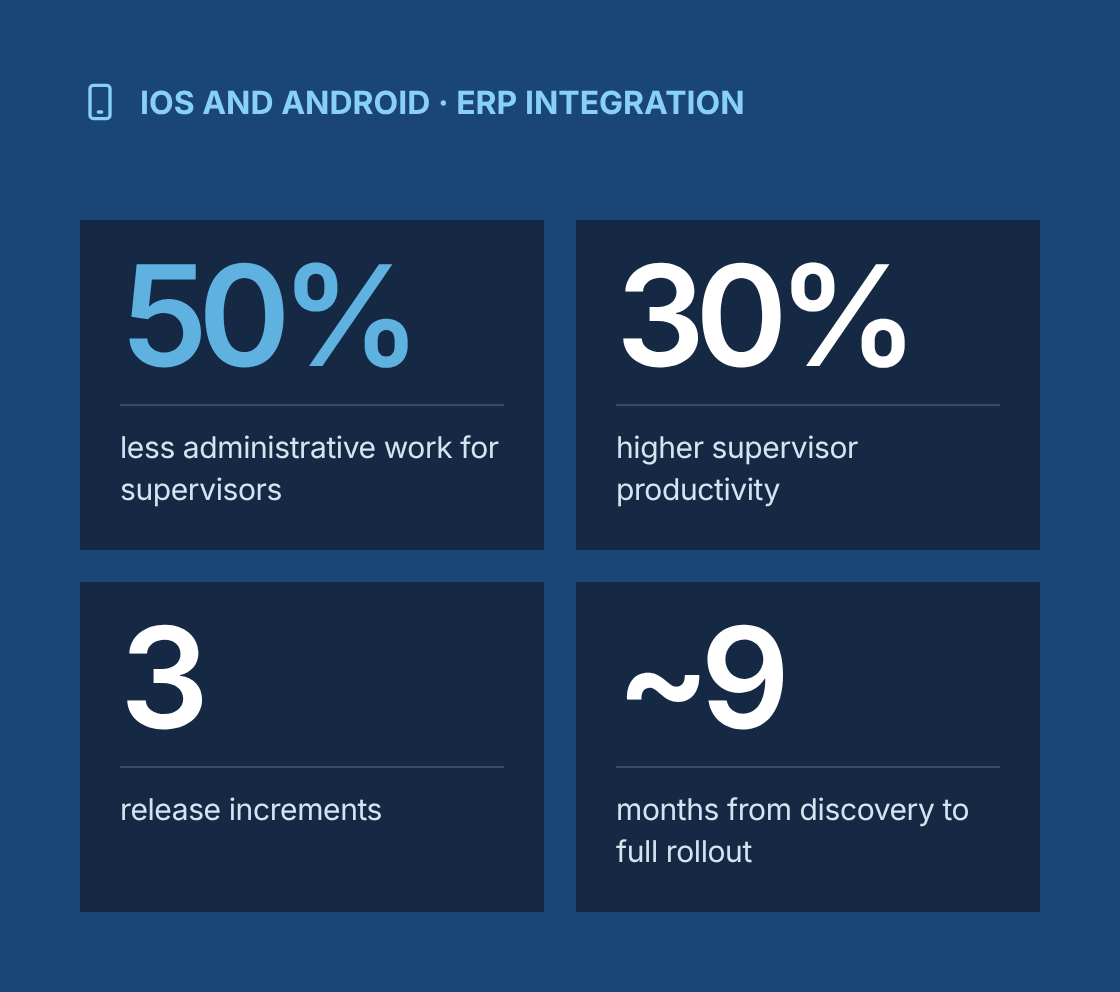
- 50% less administrative work for supervisors
- 30% higher supervisor productivity, with more time spent managing work on site
- 3 release increments
- ~9 months from discovery to full rollout
Project at a glance
- Client
A US general contractor delivering commercial and residential construction projects with site supervisors managing multiple subcontractors per site - Solution
iOS and Android mobile apps for site supervisors to approve payments, track progress, manage tasks and record site activity, integrated with the client's on-premises ERP - Engagement
Business analysis, UX requirements and test leadership within an Agile delivery team, delivered remotely from Canada with on-site visits - Duration
About 9 months from discovery to full rollout, released in three increments - Our role
Lead business analyst, working with construction operations managers, site supervisors, project accountants, the client's ERP and IT team, a UX designer, mobile and integration developers, and QA - Scope
Stakeholder research, personas, task flows, use cases, user stories, prototype validation, ERP integration analysis, functional testing and QA coordination
The challenge
What problem was the client trying to solve?
Supervisors spent much of their day on paperwork and phone calls instead of managing work on site.
- Paper payments and change orders
Subcontractor payment requests, progress confirmations and change orders were handled on paper and carried back to the office for entry into the ERP. - Trips back to the office
Supervisors drove between sites and the office to sign documents, check budgets and confirm figures. - Progress reported days late
Progress was reported in weekly spreadsheets, so project managers and accounting saw the real state of a site days after the fact. - No single task list per site
Tasks, defects and punch list items were tracked in notebooks and messages, with no single list per site. - Double data entry
Data entered twice, first on paper and then in the ERP, led to errors in quantities, amounts and cost codes. - Slow payment approvals
Payment approvals were slow, which caused friction with subcontractors and delayed work.
Our business analysis approach
How did we approach the engagement?
We designed the apps around a supervisor's actual day on site: short tasks, done standing up, often with gloves, poor signal and constant interruptions.
- Field research
We interviewed operations managers, project accountants and supervisors, and shadowed supervisors on active sites to see how they spent their time. We logged every administrative task, how long it took and which system or document it touched. - Personas and task flows
We defined personas for site supervisors, project managers and project accountants, and mapped task flows for the most frequent and most time-consuming activities. These flows showed where mobile could remove travel, paperwork or double entry. - Use cases
We developed and refined use cases from real situations on site, such as approving a subcontractor's monthly progress claim, recording a delay caused by weather, raising a defect, or confirming a material delivery. Each use case covered the main path, alternative paths and exceptions. - Prioritized backlog
We wrote user stories with acceptance criteria in the team's Agile project management tool and prioritized them by time saved for supervisors, financial risk and integration complexity. The prioritized backlog shaped three release increments. - Prototype validation
The UX designer built clickable prototypes from our task flows. We ran feedback workshops with supervisors to test layouts, navigation and wording before development, and refined designs based on what they found confusing or slow. - ERP integration analysis
We evaluated the on-premises ERP's data structures and integration options with the client's IT team. We defined which data the apps read (projects, budgets, cost codes, subcontracts, commitments) and which they write back (progress quantities, approvals, change orders, timesheets). Specs covered field mappings, validation rules, sync frequency, error handling and audit requirements. - Offline and security requirements
We specified offline capture for sites with weak signal, sync on reconnect, role-based access by project, and approval limits by role and amount. - Functional testing and QA
We wrote test scenarios from acceptance criteria and led functional testing on supported devices, including offline, sync and integration cases. During QA cycles we worked closely with developers to reproduce, clarify and resolve issues. - Rollout support
We prepared short how-to guides, supported pilot sites in the first increment, and turned pilot feedback into backlog items for later releases.
Solution
What did we deliver?
Area
Problem
What was delivered
Payment approvals
Paper payment requests signed at the office
Mobile review and approval of subcontractor progress claims against contract values and completed quantities, with approval limits by role
Progress tracking
Weekly spreadsheets reported days late
Recording of progress by work package and cost code, with photos, posted to the ERP
Change orders
Change requests handled on paper
Creation and approval of change orders on site, with descriptions, photos and cost impact sent to the ERP
Task management
Tasks tracked in notebooks and messages
Site task lists with assignment to subcontractors, due dates and status updates
Defects and punch lists
No single list per site
Defect and punch list capture with location, photos and responsible party, tracked to closure
Daily site log
Diaries written up after the fact
Daily log with workforce on site, weather, delays, deliveries and incidents
Material receipts
Delivery notes carried back to the office
Confirmation of material deliveries against purchase orders, with photos of delivery notes
Budget visibility
Supervisors called the office to check budgets
Read-only view of budget, committed and actual costs by cost code for each project
ERP integration
Data entered twice
Integration with the on-premises ERP for project, cost, subcontract and approval data, with validation and error logging
Governance
How did we manage requirements and quality?
Every requirement was traceable from a supervisor's task to tested functionality and its effect in the ERP.
- A requirements traceability matrix linked business needs to use cases, user stories, integration mappings, test cases and releases.
- Integration requirements had named data owners on the business and IT side, and every field written to the ERP had a defined validation rule.
- Approval rules and authority limits were documented as business rules, signed off by finance, and tested at every limit boundary.
- Defects found in QA were rated by severity and business impact so the team fixed what mattered most to supervisors first.
- Feedback from pilot sites was logged, prioritized with the product owner and scheduled into the next increment.
Which BA techniques and tools did we use?
Techniques
- Stakeholder interviews
- Job shadowing
- Personas
- Task flow mapping
- Use case modelling
- User stories with acceptance criteria
- Backlog prioritization
- Prototype validation workshops
- Integration and data mapping
- Business rules analysis
- Non-functional requirements for offline use and security
- Functional testing
- Requirements traceability
Tools
- Jira
- Confluence
- Figma
- Miro
- Microsoft Visio
- Postman
- TestRail
Results
What were the results?
- 50% less administrative work for supervisors
- 30% higher supervisor productivity, with more time spent managing work on site
- 3 release increments
- ~9 months from discovery to full rollout
- 50% reduction in administrative workload for supervisors
- 30% increase in supervisor productivity, with more time spent managing work on site
- Significantly improved data accuracy, with progress, approvals and change orders entered once and validated before reaching the ERP.
- Real-time visibility of site progress and costs for project managers and accounting.
- Faster payment approvals for subcontractors, with a full audit trail.
- Streamlined project oversight through a single task, defect and daily log record per site.
- A user-friendly, responsive interface that supervisors adopted quickly.
“
Lessons learned
What can other construction and field teams learn from this project?
- Shadow users before you write requirements. What supervisors say they do and what fills their day are often different.
- Design for short tasks done standing up. If a mobile task takes more than a minute or two, supervisors will go back to paper.
- Validate prototypes with real users before development. Changing a wireframe costs far less than changing a released app.
- Define approval limits and business rules with finance early. Payment features fail on rules, not on screens.
- Treat ERP integration as a core requirement, not a technical afterthought. The app only saves time if the data lands correctly.
Are your supervisors losing their day to paperwork?
Talk to a senior business analyst about mobile tools that take admin off your site supervisors and get accurate data into your ERP.
Mobile Applications for Construction Site Supervisors
Project Description
This initiative involved building mobile applications tailored for construction site supervisors, allowing them to manage payments, monitor progress, and oversee tasks directly from the field. The solution ensured seamless integration with the client’s on-premises ERP system, enabling real-time data updates and improved operational visibility. The mobile apps boosted on-site efficiency, streamlined project oversight, and significantly improved data accuracy. Highlights include a 50% reduction in administrative workload and a 30% increase in supervisor productivity, thanks to a user-friendly interface and responsive design.
Delivered Value
- Engaged with stakeholders to gather insights into daily field operations
- Defined user personas and mapped out key task flows for mobile usage
- Developed and refined real-world use cases to guide feature development
- Created and prioritized user stories using Agile project management tools
- Facilitated feedback workshops to validate early designs and prototypes
- Evaluated ERP integration points to ensure smooth data exchange
- Led functional testing to verify app reliability and performance
- Coordinated closely with developers to resolve issues during QA cycles