OpsDesigner: Configurable Web and Mobile App for Forestry Operations Planning
How our business analysts shaped OpsDesigner, a web and mobile forestry app with maps, configurable workflows and real-time sync, cutting planning time 40%.
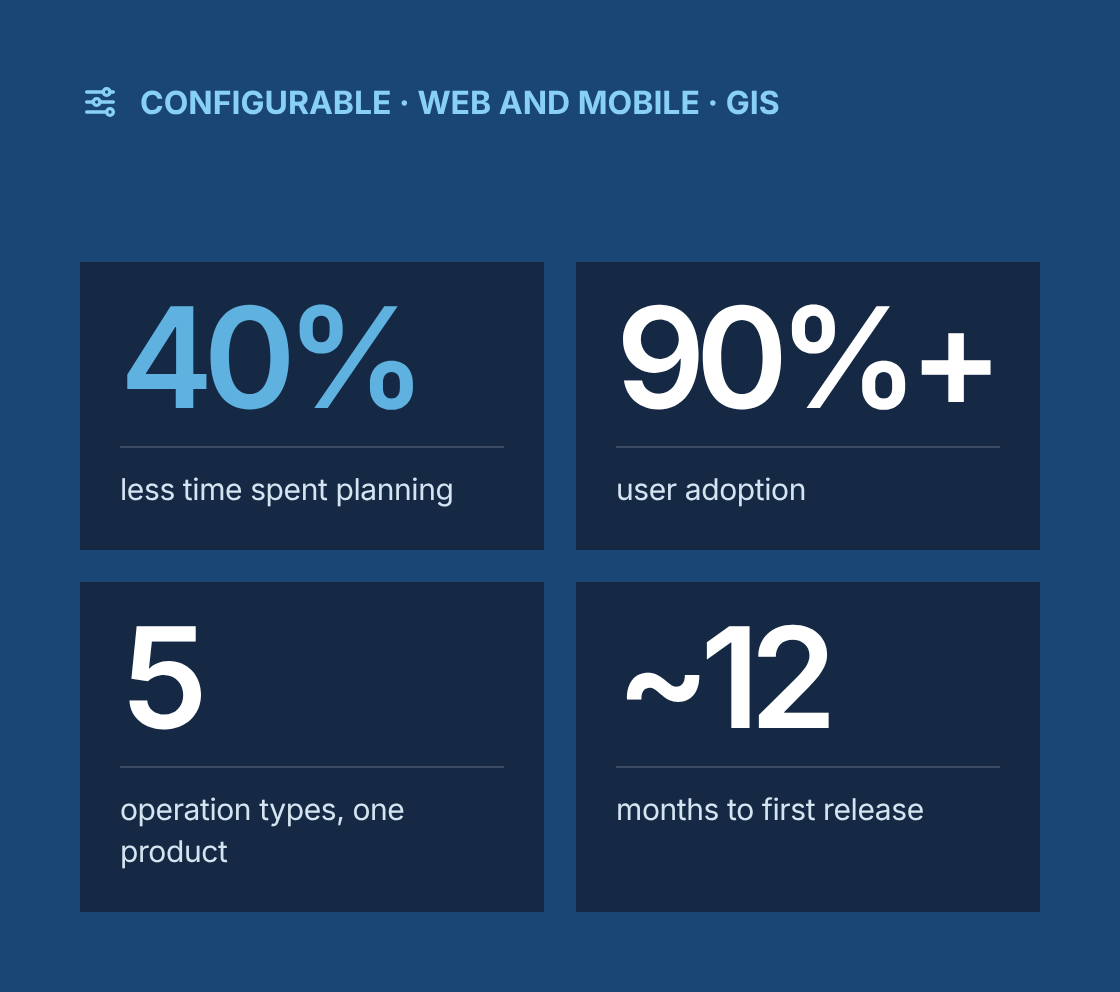
- 40% less time spent planning operations
- 90%+ user adoption across the intended audience
- 5 operation types on configurable templates
- ~12 months to the first production release
Project at a glance
- Client
A US forestry company running harvesting, thinning, site preparation, planting and road work across multiple regions, with planners in the office and supervisors and crews in the field - Solution
OpsDesigner, a cross-platform application for designing, scheduling and coordinating forestry operations on desktop and mobile, with interactive maps, configurable workflows and real-time sync between devices - Engagement
Business analysis and functional design within an Agile product team, delivered remotely from Canada with on-site field testing - Duration
About 12 months to the first production release, followed by quarterly enhancement releases - Our role
Lead business analyst, working with operations leadership, regional planners, foresters and field supervisors, a product owner, a UX designer, web and mobile developers, a GIS specialist and QA - Scope
Requirements for web and mobile use cases, user stories, wireframes, process flows, configurable workflow design, GIS integration scoping, field usability testing and requirements lifecycle management
The challenge
What problem was the client trying to solve?
Each region planned operations its own way, with its own spreadsheets, maps and checklists, so plans were hard to compare, review or hand over.
- Plans pieced together by hand
Operation plans were assembled from spreadsheets, desktop maps, emails and printed checklists, with a lot of manual input and copying. - No template for any operation type
Different operation types, such as harvesting, thinning, planting and road building, needed different information, but there was no consistent template for any of them. - Every region worked differently
Regional teams used different terms and steps for the same work, which made reviews slow and reporting across regions unreliable. - Tasks separate from the plan
Tasks and schedules were tracked separately from the plan, so changes in one were often not reflected in the other. - Details lost between office and field
Office and field teams relied on phone calls and email to coordinate, and important details were lost between them. - Every process change needed developers
The business wanted to change its planning process over time without commissioning new development every time a checklist or approval step changed.
Our business analysis approach
How did we approach the engagement?
We designed OpsDesigner around configurable operation templates and workflows, so one product could support every operation type and region without custom code for each.
- Discovery across regions
We ran workshops and interviews with planners, foresters, supervisors and operations leadership in several regions. We collected their existing plans, checklists and forms and compared how each region planned the same types of work. - Process harmonization
We mapped current processes in BPMN and agreed a common planning process with regional leads, keeping local variations only where there was a clear business reason. A shared glossary fixed the terms everyone would use. - Web and mobile use cases
We defined which tasks belong on desktop and which on mobile. Detailed design, scheduling and review happen on the web. Viewing plans, completing checklists, updating task status and recording changes happen on mobile. - Configurable model design
We specified the configuration model: operation types, templates, required fields, checklists, task lists and approval steps. Each could be set up by an administrator rather than a developer, and we wrote requirements for the admin screens that manage them. - User stories, wireframes and process flows
We wrote user stories with acceptance criteria for each epic and produced wireframes for the planning workspace, map views, task boards, checklists and admin configuration. Process flows showed how a plan moves from draft to completion for each operation type. - Map and GIS scoping
With the GIS specialist we identified and scoped integration points with the client's geospatial tools. These covered base maps, stand and property layers, importing and exporting operation boundaries, measuring areas and distances, and showing GPS position in the field. - Sync and offline requirements
We defined real-time sync between web and mobile, offline use in areas with no coverage, sync on reconnect, conflict handling and an audit trail of changes. - Agile delivery
We took part in sprint planning, backlog grooming and reviews, kept stories ready ahead of development, and worked with the product owner to prioritize features by value and dependency. - Field-based usability testing
We ran usability sessions with supervisors and crews on their own devices at active sites. We validated that the app worked in live conditions and fed findings back into the backlog.
Solution
What did we deliver?
Area
Problem
What was delivered
Operation templates
No consistent plan structure across operation types
Configurable templates for harvesting, thinning, site preparation, planting and road work, each with its own required fields and checklists
Configurable workflows
Process changes needed development
Admin-configurable workflow steps, approval rules and checklists, so the business can change its process without code changes
Interactive maps
Plans split between maps and spreadsheets
Map-based planning with operation areas, layers, measurements and notes in one workspace
Task management and scheduling
Tasks tracked outside the plan
Tasks generated from templates, assigned to people or crews, scheduled and tracked against each operation
Mobile field app
Printed checklists and phone updates
Mobile access to plans, maps, checklists and tasks, with status updates, notes and photos from the field
Real-time sync
Office and field out of step
Real-time sync between desktop and mobile, with offline use and sync on reconnect
Review and approval
Reviews by email with no record
In-app reviews with comments, approvals and full change history
Cross-region visibility
No consistent view across regions
Dashboards showing operations by type, region, status and schedule
Data validation
Errors from manual input
Required fields, lists of standard values and validation rules at the point of entry
Governance
How did we manage requirements across web and mobile?
Requirements were managed as one product backlog, with every item traced from business need to tested functionality on each platform.
- A requirements traceability matrix linked business requirements to user stories, wireframes, configuration settings, test cases and releases, with web and mobile coverage marked for each.
- A configuration catalogue documented every template, workflow and checklist set up for launch, so administrators could maintain them after handover.
- Non-functional requirements for offline use, sync, performance on field devices, security and data retention were written and tested like functional ones.
- Change requests were assessed for impact on configuration, both platforms and existing data before approval.
- Findings from field testing were logged, rated by severity and prioritized with the product owner.
Which BA techniques and tools did we use?
Techniques
- Stakeholder workshops and interviews
- Field observation
- BPMN process modelling
- Process harmonization
- Use case analysis
- User stories with acceptance criteria
- Wireframing
- Configuration modelling
- Integration scoping
- Non-functional requirements
- Field usability testing
- Requirements traceability
- Backlog grooming
Tools
- Jira
- Confluence
- Figma
- Miro
- Microsoft Visio
- ArcGIS
Results
What were the results?
- 40% less time spent planning operations
- 90%+ user adoption across the intended audience
- 5 operation types on configurable templates
- ~12 months to the first production release
- 40% reduction in planning time
- 90%+ user adoption across the intended audience
- Improved operational accuracy through standard templates, validation and a single shared plan.
- Less manual input, with tasks and checklists generated from templates instead of copied by hand.
- More efficient communication between office and field teams through shared plans, task status and real-time sync.
- Consistent planning across regions, making reviews and reporting comparable for the first time.
- A configurable product the business can adapt as its processes change, without new development for each change.
“
Lessons learned
What can other product teams learn from this project?
- Harmonize the process before you build the product. Software that copies every regional variation becomes impossible to maintain.
- Make the rules configurable where the business expects change. Templates and workflows that admins can edit save repeated development.
- Decide what belongs on desktop and what belongs on mobile. Field users need fast, simple tasks, not the full planning workspace.
- Test with real users in real conditions. Field sessions reveal problems that never show up in an office demo.
- Document the configuration as carefully as the code. It is what the client will maintain after launch.
Does every region plan the same work differently?
Talk to a senior business analyst about a configurable planning app that brings office and field onto one process, without new code for every change.
OpsDesigner: Configurable Web and Mobile App for Forestry Operations Planning
Project Description
This project involved the development of OpsDesigner, a cross-platform application designed to support the planning and coordination of forestry operations. Built for both desktop and mobile use, the app empowered users to manage tasks in the field or remotely, with features such as interactive maps, configurable workflows, and real-time sync between devices. The tool improved operational accuracy, reduced manual input, and promoted efficient communication between office and field teams. The solution led to a 40% reduction in planning time and achieved over 90% user adoption across its intended audience.
Delivered Value
- Captured and defined requirements tailored to both web and mobile use cases
- Created user stories, wireframes, and process flows for effective development
- Worked closely with stakeholders to align the app with real-world forestry operations
- Designed custom workflows to support detailed operational planning
- Identified and scoped integration points for GIS and geospatial tools
- Conducted field-based usability testing to ensure functionality in live conditions
- Managed the full lifecycle of requirements, from gathering to validation
- Participated in Agile sprints, backlog grooming, and planning sessions