Robotic Process Automation Across Business Functions
How we automated 20+ processes with UiPath and Power Automate across departments, saving about 1,500 staff hours a year and cutting manual errors by 70%.
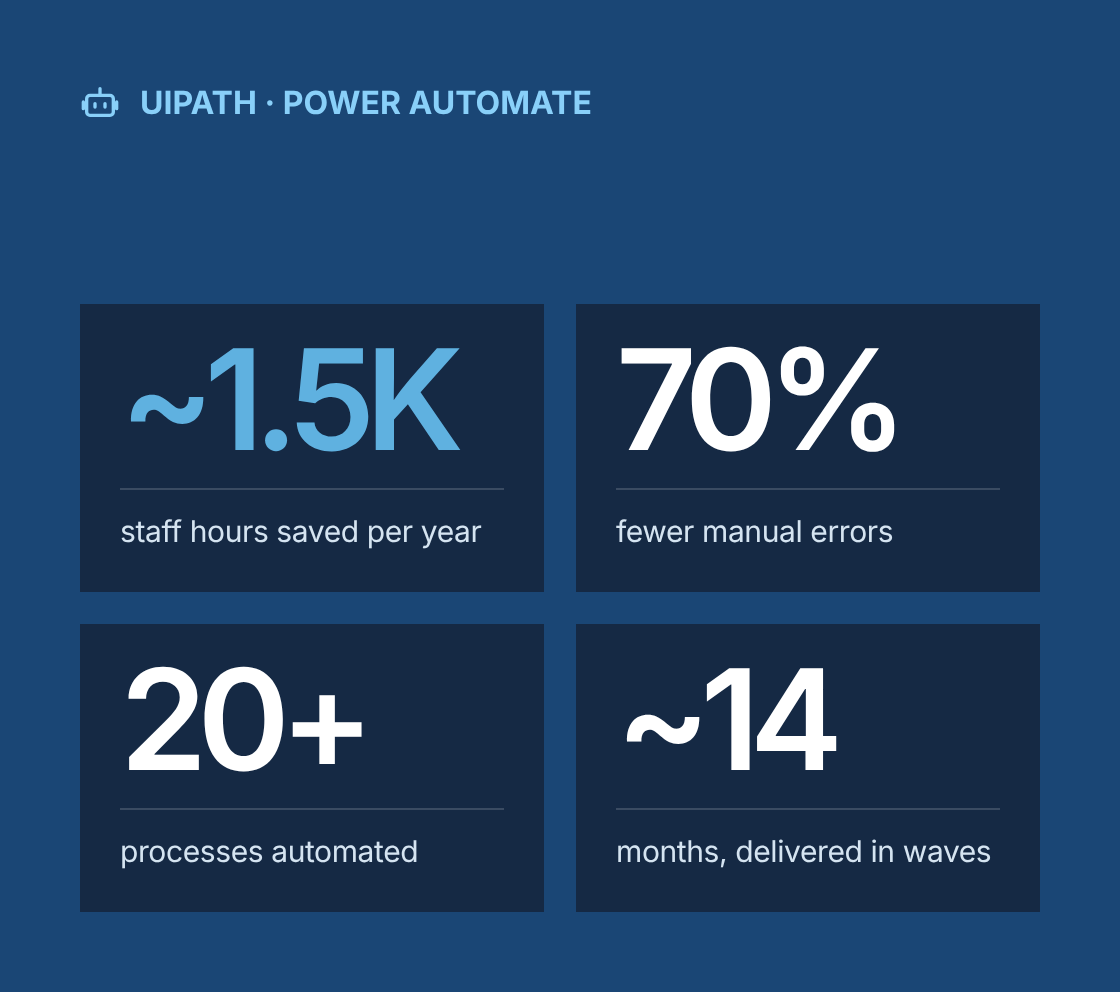
- ~1.5K staff hours saved per year
- 70% fewer manual errors
- 20+ processes automated across five business functions
- ~14 months, delivered in waves of three to five processes
Project at a glance
- Client
A US mid-market professional services organization with finance, HR, operations and client service teams working across several business systems - Solution
A portfolio of RPA workflows built in UiPath and Microsoft Power Automate, supported by a repeatable intake, assessment and delivery process - Engagement
Business analysis, solution design and RPA development, delivered remotely from Canada - Duration
About 14 months, delivered in waves of three to five processes each - Our role
Lead business analyst and RPA delivery team, working with department process owners, the client's IT team and an internal automation sponsor - Scope
Opportunity discovery, process assessment, PDD and SDD documentation, development, testing, deployment and hypercare for more than 20 processes
The challenge
What problem was the client trying to solve?
Skilled staff were spending large parts of their week copying data between systems, and the volume of that work was growing faster than headcount.
- Invoices keyed in by hand
Finance staff keyed invoice and payment data from emails and PDFs into the accounting system by hand. - Same data in four or more systems
HR onboarding and offboarding required the same employee data to be entered into four or more systems. - Reports built in spreadsheets
Operations teams built recurring reports by exporting data from several applications and combining it in spreadsheets. - Errors found late
Manual rekeying caused errors that were found late, often at month-end or by clients. - Legacy systems without APIs
Some legacy systems had no APIs, so a traditional integration project would have been slow and expensive. - No way to pick what to automate
Departments had raised automation ideas before, but there was no consistent way to judge which ones were worth doing.
Our business analysis approach
How did we approach the engagement?
We set up automation as a managed pipeline: find candidates, score them, design them properly, then build, test and support them in waves.
- Opportunity discovery
We ran workshops with each department and asked teams to log repetitive tasks with volume, frequency, time per transaction and systems used. This produced a long list of more than 40 candidate processes. - Assessment and prioritization
Each candidate was scored on rule-based logic, input structure, process stability, transaction volume, error impact and number of exceptions. Candidates with unstable processes or mostly unstructured inputs were parked or sent for process improvement first. Scores and estimated hours saved fed a prioritized roadmap agreed with the automation sponsor. - As-is analysis
For each selected process we observed the work at the desk, recorded keystroke-level steps, and mapped the as-is flow in BPMN, including exception paths and the decisions people made by judgment. - Future-state design
We simplified each process before automating it. We removed redundant steps, standardized inputs such as templates and naming, and decided which steps the bot would own and which stayed with people. - Process Design Document (PDD)
Every process got a PDD signed off by the process owner. It covered scope, step-by-step to-be flow, business rules, input and output specifications, business exceptions and expected volumes. - Solution Design Document (SDD)
For each process we produced an SDD covering tool choice, attended or unattended mode, application interaction methods, credential handling, exception and retry logic, logging, scheduling and reporting. - Tool selection per process
We used UiPath for high-volume, unattended workflows and legacy desktop applications. Power Automate was the choice for Microsoft 365-centred processes, approvals and lighter integrations where users trigger the flow themselves. - Development and testing
Bots were built in reusable components such as login, data validation and email notification modules. We tested against real sample data, including edge cases and deliberately bad inputs, then ran UAT with the people who had done the work manually. - Deployment and hypercare
Each bot went live with a runbook, a monitoring dashboard and a two-week hypercare period. During that period we checked every exception and tuned rules before handing over to support.
Solution
What did we automate?
Department
Process
What the automation does
Finance
Supplier invoice processing
Reads invoices from a shared mailbox, extracts key fields, validates against purchase orders and vendor master data, and posts to the accounting system, with mismatches routed to a reviewer
Finance
Bank and payment reconciliation
Downloads bank statements, matches transactions to payments and receipts, and produces an exceptions list for unmatched items
Finance
Month-end report preparation
Pulls data from accounting and billing systems, builds standard reports and distributes them to managers
HR
Employee onboarding
Creates the new hire in HR, payroll, directory and access request systems from a single approved form
HR
Employee offboarding
Triggers account deactivation, equipment return tasks and final payroll steps from one termination record
Operations
Client data updates
Applies routine client record changes across CRM and project systems, removing duplicate entry
Operations
Document handling
Classifies incoming documents, renames them to a standard convention and files them to the correct client folder
Client service
Status reporting
Compiles weekly client status data from several systems and emails a consistent summary to account managers
IT
Access request fulfilment
Processes standard access requests from an approved form and logs completion for audit
These nine examples are a representative subset of the more than 20 processes delivered.
Governance
How did we govern the automation portfolio?
Automation was run as a controlled portfolio with clear ownership, so bots stayed reliable after go-live.
- Each process had a named business owner who approved the PDD, signed off UAT and owned changes after go-live.
- A requirements traceability matrix linked each business rule in the PDD to its implementation in the SDD and to the test cases that verified it.
- Business exceptions, where the data or situation needs a person, were separated from system exceptions, where an application fails. Each type had its own handling and notification path.
- Credentials were stored in secure vaults, not in workflow code, and bots ran under dedicated service accounts with only the access they needed.
- A change process required any update to a target application or business rule to be checked against affected bots before release.
- A monthly portfolio review tracked bot run success rates, exception volumes and hours saved against the business case.
Which BA techniques and tools did we use?
Techniques
- Stakeholder workshops
- Process observation
- BPMN process modelling
- Automation opportunity scoring
- Process simplification before automation
- Business rules analysis
- PDD and SDD documentation
- Requirements traceability
- Exception analysis
- UAT planning
- Benefits tracking
Tools
- UiPath Studio and Orchestrator
- Microsoft Power Automate
- Jira
- Confluence
- Microsoft Visio
- Excel
Results
What were the results?
- ~1.5K staff hours saved per year
- 70% fewer manual errors
- 20+ processes automated across five business functions
- ~14 months, delivered in waves of three to five processes
- 20+ processes automated across finance, HR, operations, client service and IT
- ~1,500 staff hours saved per year, redirected to review, analysis and client work
- 70% reduction in manual error rates
- Faster turnaround on invoices, onboarding and reporting, since bots process work as it arrives instead of in batches.
- All waves delivered within the agreed timelines.
- High stakeholder approval, with departments submitting new automation ideas through the intake process.
- A reusable framework of intake form, scoring model, PDD and SDD templates, and component library that the client can use for future automation.
“
Lessons learned
What can other teams learn from this project?
- Fix the process before you automate it. Automating a broken process just produces errors faster.
- Use a scoring model to choose candidates. It keeps the roadmap focused on value and makes saying no to weak ideas easier.
- Design for exceptions from the start. Most of the effort in a reliable bot goes into what happens when inputs are wrong or a system is down.
- Pick the tool per process, not per company. UiPath and Power Automate solve different problems well.
- Give every bot a business owner. Bots without owners break quietly when systems or rules change.
Is your team still rekeying data between systems?
Talk to a senior business analyst about finding the processes worth automating and building bots that stay reliable after go-live.
Robotic Process Automation Across Business Functions
Project Description
This initiative involved delivering multiple Robotic Process Automation (RPA) projects across several departments to streamline repetitive tasks and improve business efficiency. Using tools like UiPath and Power Automate, the team implemented automation for processes such as data entry, document handling, and system integration. The result was a significant reduction in manual workload and errors, leading to better accuracy and faster turnaround times. More than 20 processes were automated, saving roughly 1,500 staff hours annually and reducing manual error rates by 70%, all while meeting strict delivery timelines and earning high stakeholder approval.
Delivered Value
- Documented automation needs across business functions
- Analyzed and mapped existing workflows to uncover automation opportunities
- Defined optimized future-state processes for automation
- Created detailed Process Design Documents (PDD) and Solution Design Documents (SDD)
- Validated automation use cases in collaboration with business stakeholders
- Oversaw the full requirements lifecycle from discovery to delivery
- Developed, tested, and deployed RPA workflows using UiPath and Power Automate
- Coordinated and executed user acceptance testing with end users