Senior Maple Marketing: Requirements, AI Readiness and Application Delivery for Canadian Senior Living
How Business Analysis Canada prepared senior living operators for application, ERP and AI development, with requirements, AODA, privacy and governed AI.
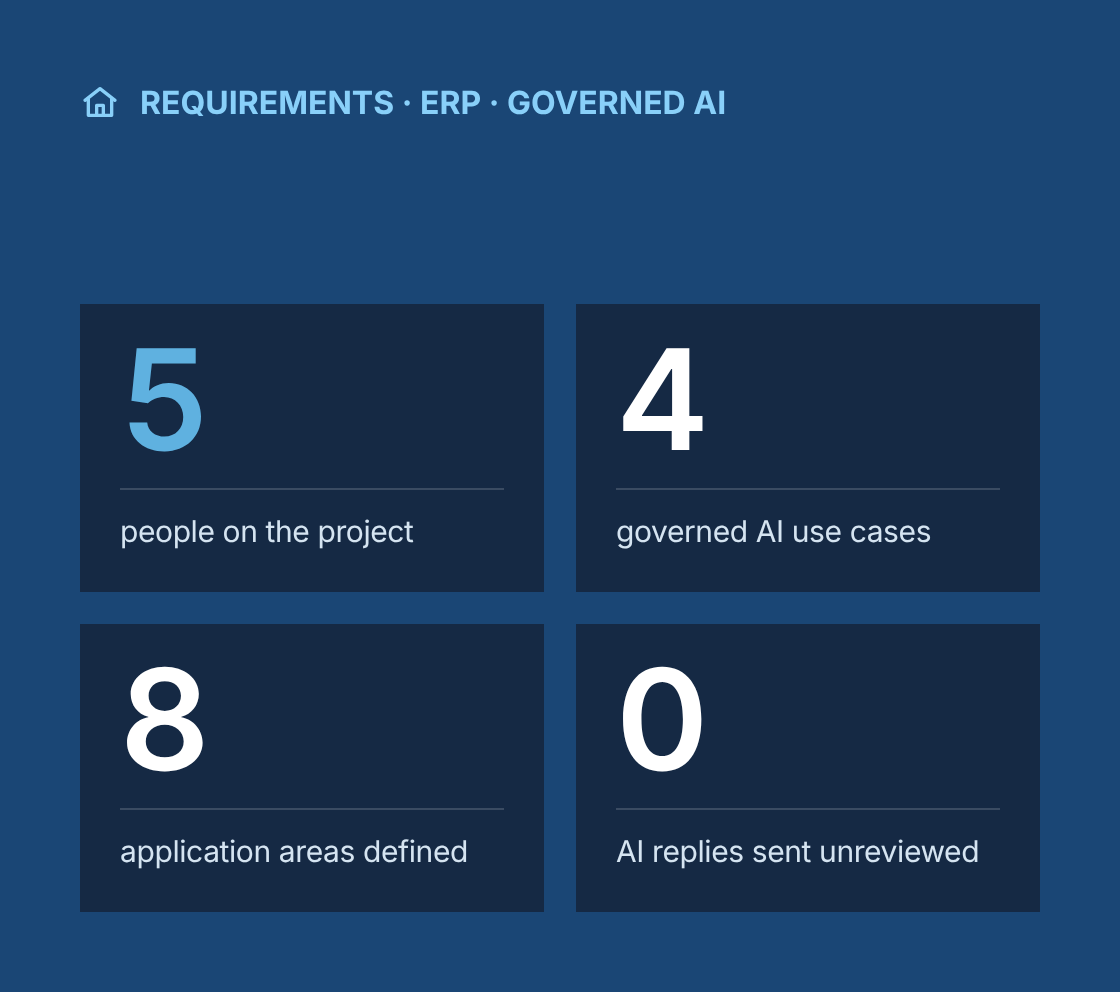
- 5 people on the project
- 4 AI use cases, each with a point where a person approves
- 8 application areas defined before any screen was drawn
- 0 AI-drafted replies sent without staff review
Project at a glance
- Client
Senior Maple Marketing, a Canadian marketing partner to senior living, from large multi-site operators to independent residences - Engagement
Analysis-led preparation for software, application, ERP and AI development on projects for Senior Maple's senior living clients. Business Analysis Canada did not run marketing campaigns on these projects. - Team
Staff augmentation with a team of five business analysts, embedded in Senior Maple's project teams - Our role
Requirements elicitation, current-state analysis, business requirements, process models and acceptance criteria. We then prepared application, ERP and AI requirements and supported development through implementation. - Delivery
Remote, during Canadian business hours, with workshops scheduled around residence shift patterns - Confidentiality
Community names, scopes and commercial terms stay under NDA. - Model
Every engagement followed the same path: analysis first, then application and AI requirements, then development and implementation against the agreed baseline.
The challenge
What problem was the client trying to solve?
What problem were the operators trying to solve?
Choosing a senior living residence is a long, emotional decision, often made by families under time pressure. The operators' processes for handling that decision depended more on individual staff than on systems.
- Many channels
Enquiries arrived through website forms, phone calls, referral agencies, walk-ins and social media, and each channel was handled differently. - Family decisions
The first contact usually came from an adult son or daughter, not the future resident, and decisions often involved several family members over weeks or months. - Lost follow-ups
Tours were booked by phone and email. Follow-ups lived in notebooks, spreadsheets or partly used CRM records, and enquiries were lost when a staff member was away or left. - Paper move-ins
Resident information for move-ins, such as care needs, preferences and contacts, was collected on paper and re-entered into several systems. - Uneven reporting
Head offices of multi-site operators wanted consistent reporting on enquiries, tours and move-ins across residences, while each residence had different suite types, care levels and local practices. - Small teams
Independent residences had small teams and limited IT support, and needed tools that fit how their home actually worked. - Unclear AI risks
Operators were being pitched AI chatbots, with little clarity on what they could safely do in a sector that handles health information and vulnerable people.
Analyst team
How was the analyst team set up?
Senior Maple's project load rose and fell with its clients' plans, so it used a managed team of five business analysts rather than hiring for each engagement.
1 person
Lead business analyst
Focus
Senior Maple's single point of contact; allocation, quality review and the shared playbook; leads discovery with large operators
2 people
Application business analysts
Focus
Enquiry, tour, follow-up and move-in processes; roles, journeys, data and backlogs
1 person
ERP and finance business analyst
Focus
Finance, resident billing, procurement and payroll processes; ERP requirements and data migration readiness
1 person
AI and data business analyst
Focus
AI use cases, data readiness, approval points and decision boundaries
- Analysts worked inside Senior Maple's project teams and under its direction, using its tools and templates.
- A shared playbook held approved templates and worked examples, so every analyst's output looked and read the same.
- Every deliverable was peer-reviewed by a second analyst before the lead BA signed it off for Senior Maple.
- The lead BA and Senior Maple's delivery lead agreed assignments every week, and analysts were briefed on each other's operators so absences did not stall a project.
Our business analysis approach
How did we approach the engagement?
How did the analysis start?
Every engagement started with analysis, before any screen was designed or any AI tool was chosen.
- Stakeholder elicitation
We interviewed operators, regional managers, marketing leads, residence general managers, sales and community relations managers, reception staff, care coordinators and privacy officers. Workshops were scheduled around shift changes so frontline staff could take part. - Current-state documentation
We mapped how enquiries, tours, resident information and follow-up moved today, using BPMN swimlanes for families, reception, sales staff, care coordinators and head office. - Person-dependent steps
Every step that relied on one person's memory, inbox or notebook was marked on the process maps as a key-person dependency. These steps became the first candidates for system support. - Sample review
We reviewed sample enquiries, follow-up notes and move-in packages with personal details removed, to see how information was actually captured and where it was lost. - Business requirements and process models
We wrote business requirements and future-state process models for each engagement and had them signed off before any build started. - Operational acceptance criteria
Acceptance criteria described what the operation needed to achieve, not which features a system should have. That way, a later application could be judged against how the residence works.
For example
After-hours enquiry
- Given a family submits an enquiry outside office hours
- When the enquiry is received
- Then the family receives an acknowledgement with the next steps
- And the enquiry is assigned to the residence's sales lead for the next business day
- And it appears in that residence's follow-up list until someone contacts the family
Staff absence
- Given the assigned sales lead is away
- When an enquiry follow-up becomes due
- Then the follow-up is visible to the residence's backup contact
- And no enquiry depends on one person's inbox to be followed up
Application requirements
What did preparation for application development cover?
Preparation defined what the software had to do before any screen was drawn, so development teams could estimate and build against agreed requirements.
User roles
Head office roles (executives, regional managers, marketing leads, privacy officers, system administrators) and residence roles (general managers, sales leads, reception, care coordinators), with a permission matrix and data scoped to each residence
Family enquiry journey
First contact, information request, tour booking, tour, follow-up, care assessment, deposit and move-in, from the family's point of view
Staff journeys
Enquiry intake, tour scheduling, follow-up, handoff from sales to care, and move-in preparation
Data needed
Contact details, relationship to the future resident, preferred residence, timeframe, general care level of interest, enquiry source and consent
Data not to collect
Detailed medical history at the enquiry stage, health card numbers, social insurance numbers and financial details beyond what each step needs
Integrations
Website forms, phone and call tracking, email and calendars, existing CRM and sales tools, and resident and care management systems, with an agreed system of record for each data element
Non-functional requirements
Role-based access with multi-factor authentication, audit logs, privacy and retention rules, Canadian data hosting, availability, and accessibility under the Accessibility for Ontarians with Disabilities Act
Scoped backlog
Epics and user stories with acceptance criteria, prioritized with MoSCoW and split into a first release and later releases, ready for the development team to estimate
ERP requirements
What did preparation for ERP development cover?
Several operators were replacing or extending their finance and operations systems while new applications were being specified. We prepared the ERP work with the same method, so the applications and the ERP were designed to work together instead of as separate projects.
Current-state finance processes
Procure-to-pay, record-to-report, resident billing from move-in to monthly invoice, and payroll inputs from staff scheduling, with person-dependent steps marked
Entity and reporting structure
How residences, regions and legal entities map to companies, cost centres and the chart of accounts, so head office can consolidate and each residence sees its results
Resident billing rules
Suite rates, care packages, one-off charges, rate changes, prorating at move-in and move-out, and who receives the invoice
Integrations
A confirmed move-in in the enquiry application creating the resident account in the ERP, plus links to payroll, scheduling, banking and resident care systems, with a system of record for each data element
Data migration readiness
Inventories of resident accounts, vendors, open balances and history, with data quality checks and decisions on what to migrate
Reporting
Occupancy, revenue per suite, arrears and cost per residence, defined once for both the ERP and the applications
Selection support
A requirements catalogue, demo scripts built from real residence scenarios, and a scoring model for comparing vendors
Implementation readiness
Prioritized requirements, fit-gap preparation and a handover pack for the chosen ERP partner
Independent residences rarely needed a full ERP. For them, the same analysis produced requirements for accounting and resident billing tools sized to the home.
Privacy and accessibility
How were privacy and accessibility built in?
Senior living handles personal information about older people and their families, often including health details. Privacy and accessibility were written as requirements from the first workshop, not added at the end.
Privacy
Requirements followed PIPEDA and applicable provincial privacy laws, with each operator's privacy officer confirming whether health information rules such as PHIPA applied. Consent was captured at first contact, with retention periods agreed for each data type.
Data minimization
Each field in the data model had a stated purpose. Anything without a purpose at that step was left out.
Access
Residence staff saw only their residence's enquiries and residents. Head office saw consolidated data across residences, with personal details limited to the roles that needed them.
AODA
Public-facing pages and forms had to meet the WCAG 2.0 Level AA standard that AODA requires for organizations with 50 or more employees, with WCAG 2.1 AA as the design target.
Designed for older users
Requirements included large readable text, clear contrast, simple forms and phone-based alternatives, since many family members and residents prefer to call.
Governed AI
How did AI work stay inside the same baseline?
AI was treated as part of the requirements, not as a separate experiment. Each AI capability had to fit the same process models, data rules and acceptance criteria as the rest of the application. The requirement was a controlled aid to the team, not an ungoverned chatbot.
Use case
What the AI does
What the AI can see
Where a person approves
Answering routine questions
Answers questions about visiting, amenities, suite types and services from approved content
Approved content for each residence only
Content leads approve the knowledge base before it goes live and review it on a regular schedule
Drafting a first response
Drafts a reply to a new enquiry for staff to edit
The enquiry text and approved residence content
Staff review and send every response. Nothing is sent automatically
Routing an enquiry
Suggests the right residence and staff member based on location, timeframe and type of enquiry
Enquiry details and routing rules
Staff can override any routing suggestion, and urgent enquiries go straight to a person
Summarizing a call
Drafts a call summary and next steps for the CRM record
The call transcript, where the caller has consented to recording
Staff review and correct the summary before it is saved
Before any assistant or agent was put in front of staff, we documented:
Data readiness
We checked whether each residence's content was complete, current and approved, and whether CRM fields were consistent enough for routing and reporting.
What the model can see
AI tools could access approved content and the enquiry in front of them. They could not access resident care records or financial information.
Decision boundaries
The AI must not give medical or care advice, quote final prices, confirm suite availability, make admission decisions or ask for health details.
Escalation rules
Messages suggesting urgency, such as a hospital discharge or a safety concern, go straight to a person. So do complaints and any question outside approved content, with a clear message to the family that a team member will follow up.
Transparency
Families are told when they are interacting with an AI assistant.
Testing
Each use case was tested with realistic question sets for each residence, including questions the AI should decline. Acceptance required correct answers from approved content and correct escalation for out-of-scope questions.
Monitoring
Requirements included logs of AI outputs and staff edits, reviewed regularly so content gaps and wrong answers could be fixed.
Development
How did software development follow the requirements?
Development started from the signed-off baseline, and every delivered feature was traced back to its acceptance criteria.
Build support
We supported development of the applications each project needed, such as enquiry management, tour scheduling, follow-up tracking, move-in information intake and AI-assisted response drafting.
Traceability
A traceability matrix linked each requirement to user stories, test cases and releases, so the operator could see that every agreed outcome had been delivered and tested.
User acceptance testing
Residence staff and head office users tested real scenarios against the operational acceptance criteria before each release.
Implementation
We supported data migration from spreadsheets and older tools, cutover planning, and short role-based training for staff.
Change control
When scope moved during implementation, each change was assessed against the baseline, its impact was recorded, and the operator decided through Senior Maple.
Multi-site and independent
How did multi-site and independent residences differ?
Large multi-site operators needed a shared model with local variation. Independent residences needed a smaller scope that still fit how that home worked. Each was specified separately. Neither was treated as a template dropped on the other.
Area
Multi-site operator
Independent residence
Process model
One standard enquiry-to-move-in process, with defined points where residences can vary
One process designed around the home's actual routine
Roles
Separate head office, regional and residence roles
Fewer roles, with one person often covering several
Configuration
Residence-level settings for suite types, care levels, tour times, follow-up timing and local content
Simple settings managed by the general manager
Reporting
Consistent enquiry, tour and move-in definitions, compared across residences
A short set of measures the home actually uses
Integrations
Connections to corporate CRM, telephony and resident systems
Only the integrations the home needs, often email, calendar and website forms
ERP and finance
A shared ERP with residence-level cost centres, consolidated reporting and standard billing rules
Accounting and resident billing tools sized to the home, rather than a full ERP
AI scope
Shared governance, with approved content managed for each residence
A smaller set of AI use cases, such as drafting responses and answering routine questions
Governance
How did we work within Senior Maple's relationship and NDA?
- All communication with operators and residences went through Senior Maple, or took place with Senior Maple present.
- Community names, scopes and commercial terms stay under NDA, including in this case study.
- Analysts signed NDAs covering Senior Maple and its clients, and followed each operator's privacy and security requirements.
- Personal information seen during analysis was handled under each operator's privacy policies and never stored on Business Analysis Canada systems.
Which BA techniques and tools did we use?
Techniques
- Stakeholder interviews and workshops
- BPMN process modelling
- Current and future state analysis
- Key-person dependency analysis
- Business requirements
- Journey mapping
- Role and permission modelling
- Data minimization analysis
- Integration and system-of-record analysis
- Non-functional requirements
- AI use case definition
- Human-in-the-loop design
- Decision boundary and escalation rules
- Given/When/Then acceptance criteria
- MoSCoW prioritization
- Requirements traceability
- UAT planning
- Change control
- Chart of accounts and entity mapping
- Fit-gap preparation
- ERP demo scripts
- Vendor scoring
- Data migration readiness assessment
- Peer review
Tools
- Jira
- Confluence
- Miro
- Lucidchart
- Figma
- Microsoft Excel
Results
What were the results?
- 5 people on the project
- 4 AI use cases, each with a point where a person approves
- 8 application areas defined before any screen was drawn
- 0 AI-drafted replies sent without staff review
Applications judged against operational acceptance criteria rather than feature lists.
AI introduced as a controlled aid, with approval points, decision boundaries and escalation rules agreed before staff used it.
- Enquiry follow-up that no longer depended on one person's notebook or inbox.
- Privacy and AODA requirements built in from the first workshop.
- Scoped, estimable backlogs that development teams could plan against.
- ERP requirements, data migration readiness and selection support prepared alongside the applications, so finance and front-of-house systems were designed to work together.
- A managed team of five business analysts working across Senior Maple's operators.
- A shared model with local variation for multi-site operators, and a right-sized scope for independent residences.
“
Lessons learned
What can other senior living and care organizations learn from this work?
- Find where a person still carries the process. Those steps are where enquiries get lost when staff change.
- Write acceptance criteria against the operation, not a feature list. A system that has every feature can still miss the family that called after hours.
- Decide what not to collect. In senior living, the safest data is the data you never asked for.
- Set AI boundaries and escalation rules before the first demo, not after the first mistake.
- Give multi-site operators a shared model with room for local variation, and give independent homes a scope built for them, not a cut-down enterprise template.
- Prepare the ERP and the applications together. A move-in recorded in one system has to become a resident account and an invoice in the other.
Do your enquiries depend on one person's inbox?
Talk to a senior business analyst about requirements, privacy and governed AI for your senior living applications, before any screen is designed.
Senior Maple Marketing: Requirements, AI Readiness and Application Delivery for Canadian Senior Living