Woodlands ERP enhancements and support
How our business analysts delivered 20+ enhancements to an on-premises forestry ERP, automating inventory, billing and planning to cut manual work by 30%.
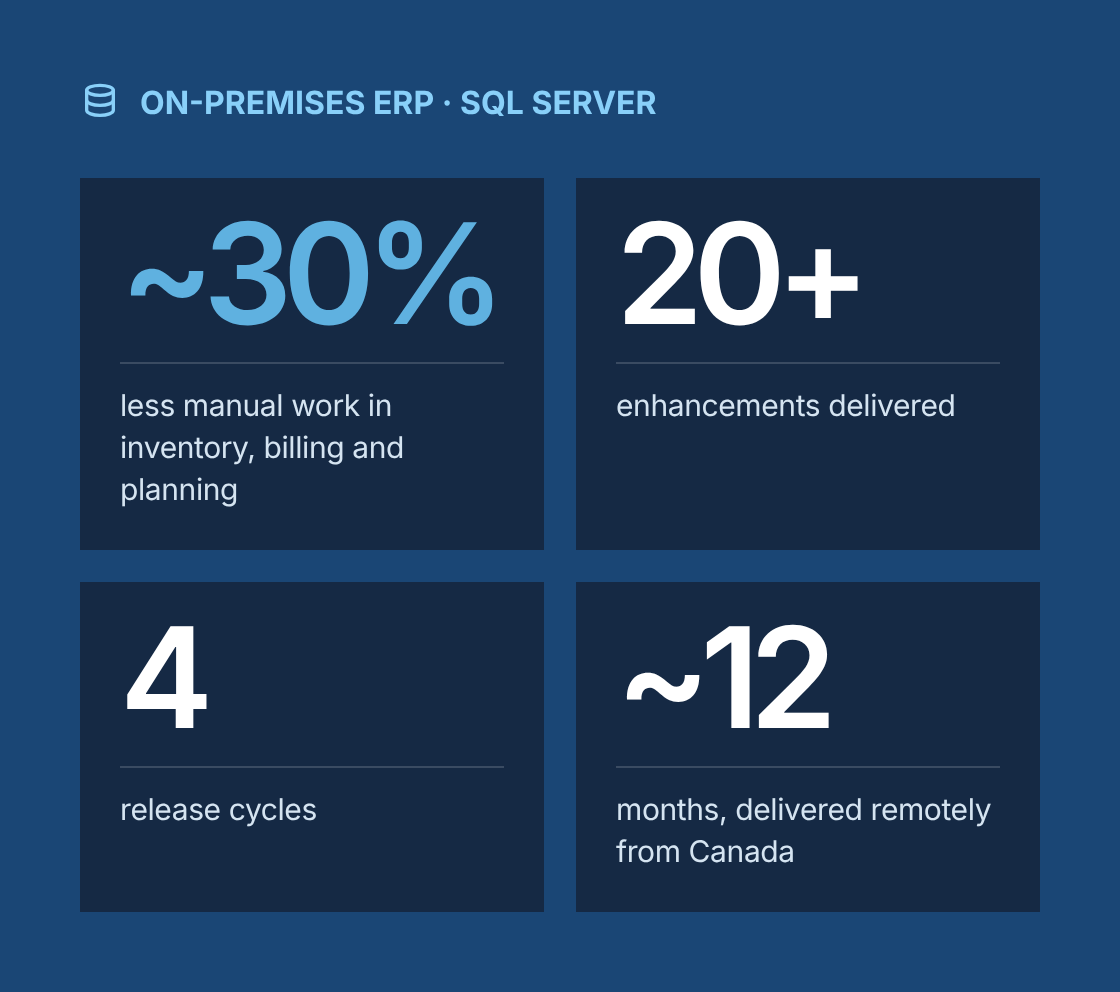
- ~30% less manual work in inventory, billing and planning
- 20+ enhancements across inventory, billing, planning and reporting
- 4 release cycles
- ~12 months of continuous enhancement and support
Project at a glance
- Client
Woodlands, a US forestry operations company working with a network of harvesting and hauling contractors - System
On-premises ERP built on a SQL Server database, with custom modules for wood operations - Engagement
Business analysis for continuous enhancement and support, delivered remotely from Canada - Duration
About 12 months, in four release cycles - Our role
Lead business analyst, working alongside the client's product owner, an in-house development team and QA - Scope
More than 20 enhancements across inventory, contractor billing, harvest planning and reporting
The challenge
What problem was the client trying to solve?
The ERP was stable, but it had not kept pace with how the business worked, so staff covered the gaps with spreadsheets and manual reconciliation.
- Lagging inventory
Log inventory at landings and yards was updated by hand from scale tickets, so stock figures lagged behind actual volumes by days. - Disputed contractor billing
Contractor billing and settlements depended on manual calculations of rates, volumes and deductions, which led to frequent disputes and rework at month-end. - Planning outside the ERP
Harvest planning lived outside the ERP, so planners could not see committed volumes, contractor capacity and inventory in one place. - Undocumented business rules
Many business rules were known only to a few long-tenured employees and were not documented anywhere. - Vague change requests
Earlier change requests had arrived as short emails with no acceptance criteria, so developers often built the wrong thing and testing found gaps late.
Our business analysis approach
How did we approach the engagement?
We treated the work as a managed enhancement backlog rather than a series of one-off tickets, so every change could be traced from business need to tested release.
- Current-state assessment
We interviewed operations, accounting, planning and contractor-facing staff and mapped as-is workflows in BPMN. Manual steps, duplicate data entry and reconciliation points were marked as improvement candidates. - Backlog and prioritization
We turned the findings into a prioritized backlog, scored by business impact, frequency of use and technical risk. We ran MoSCoW sessions with the product owner before each release cycle. - Requirements definition
We wrote business requirements, then user stories with Given/When/Then acceptance criteria. Billing and rate logic was captured in decision tables, so rules could be checked by accounting before any code was written. - Technical specification
For automation built as stored procedures, we produced specs covering input data, transformation logic, exception handling, scheduling and audit logging, with source-to-target data mapping for each affected table. - Delivery support
We joined developer stand-ups and refinement sessions, answered questions on business rules, and updated stories as edge cases surfaced. - Testing and validation
We wrote test scenarios from the acceptance criteria, led functional testing and coordinated user acceptance testing with business users. We also supported integration testing with the finance, inventory and reporting modules. - Release and support
We prepared release notes and short user guides, ran walkthroughs for affected teams, and triaged post-release issues back into the backlog.
Solution
What did we deliver?
Area
Problem
Enhancement
Inventory tracking
Stock updated manually from scale tickets
Stored procedures that post scale ticket volumes to inventory automatically, with exception flags for missing or out-of-range data
Contractor billing
Settlements calculated by hand in spreadsheets
Automated settlement calculation using documented rate tables, deductions and adjustments, with a review step before approval
Billing reconciliation
Month-end mismatches between ERP and contractor statements
Reconciliation procedure and variance report that highlights discrepancies by contractor and period
Harvest planning
Plans kept outside the ERP
Planning views that combine committed volumes, contractor capacity and current inventory
Contractor collaboration
Status shared by phone and email
Standardized contractor records and status fields, so office staff and field supervisors work from the same data
Data quality
Duplicate and incomplete master data
Validation rules on key fields and a clean-up of contractor, site and product master data
Reporting
Manual weekly operational reports
Scheduled reports for volumes, billing status and open exceptions
Auditability
Changes to rates and settlements hard to trace
Change logging on rate tables and settlement records
Governance
How did we keep requirements under control?
Every enhancement was traceable from the original business need through to its test result and release.
- A requirements traceability matrix linked each business requirement to user stories, technical specs, test cases and the release that shipped it.
- Changes to scope went through a lightweight change request with impact noted on dependent stories and tests.
- Decision tables and data mappings were kept as living documents and updated whenever a rule changed.
- A business rules catalogue captured knowledge that had previously existed only in people's heads.
Which BA techniques and tools did we use?
Techniques
- Stakeholder analysis
- Interviews and workshops
- BPMN process modelling
- MoSCoW prioritization
- User stories with acceptance criteria
- Decision tables
- Data mapping
- Requirements traceability
- UAT planning
Tools
- Jira
- Confluence
- SQL Server Management Studio
- Microsoft Visio
- Excel
Results
What were the results?
- ~30% less manual work in inventory, billing and planning
- 20+ enhancements across inventory, billing, planning and reporting
- 4 release cycles
- ~12 months of continuous enhancement and support
- Fewer billing disputes with contractors, since settlement logic became documented, consistent and auditable
- Faster month-end close, with reconciliation exceptions surfaced automatically instead of found by hand
- Better system reliability, with fewer defects reaching production thanks to testable acceptance criteria and earlier integration testing
- Planners, accounting and operations working from one source of data for planning decisions
- A documented backlog, rules catalogue and traceability matrix the client can keep using for future changes
“
Lessons learned
What can other ERP teams learn from this project?
- Small, well-specified enhancements to an existing ERP can deliver real value without the cost and risk of a replacement.
- Billing and rate logic belongs in decision tables that the business signs off before development starts.
- Stored procedure automation needs the same rigour as application features: written specs, exception handling and test cases.
- A traceability matrix pays for itself the first time someone asks why a rule works the way it does.
Is your ERP falling behind how your business works?
Talk to a senior business analyst about turning workarounds into a prioritized, traceable enhancement backlog.
Woodlands ERP enhancements and support
Project Description
The initiative aimed to upgrade and maintain an on-premises ERP system used in forestry operations, with a focus on improving contractor collaboration and operational efficiency. The development team delivered over 20 targeted enhancements, introducing advanced stored procedures to automate key processes like inventory tracking, billing, and planning. These improvements reduced manual workload by 30%, boosted system reliability, and gave teams the tools they needed for smarter decision-making across wood operations.
Delivered Value
- Reviewed and assessed ERP workflows to pinpoint inefficiencies and improvement areas
- Documented business requirements for ERP feature updates and enhancements
- Outlined technical specs for complex automation through stored procedures
- Created user stories with detailed acceptance criteria to guide development
- Worked closely with developers to align features with operational goals
- Led testing efforts to validate functionality of new ERP components
- Managed requirements through all project phases, ensuring traceability
- Supported integration testing with other ERP modules to confirm compatibility